c
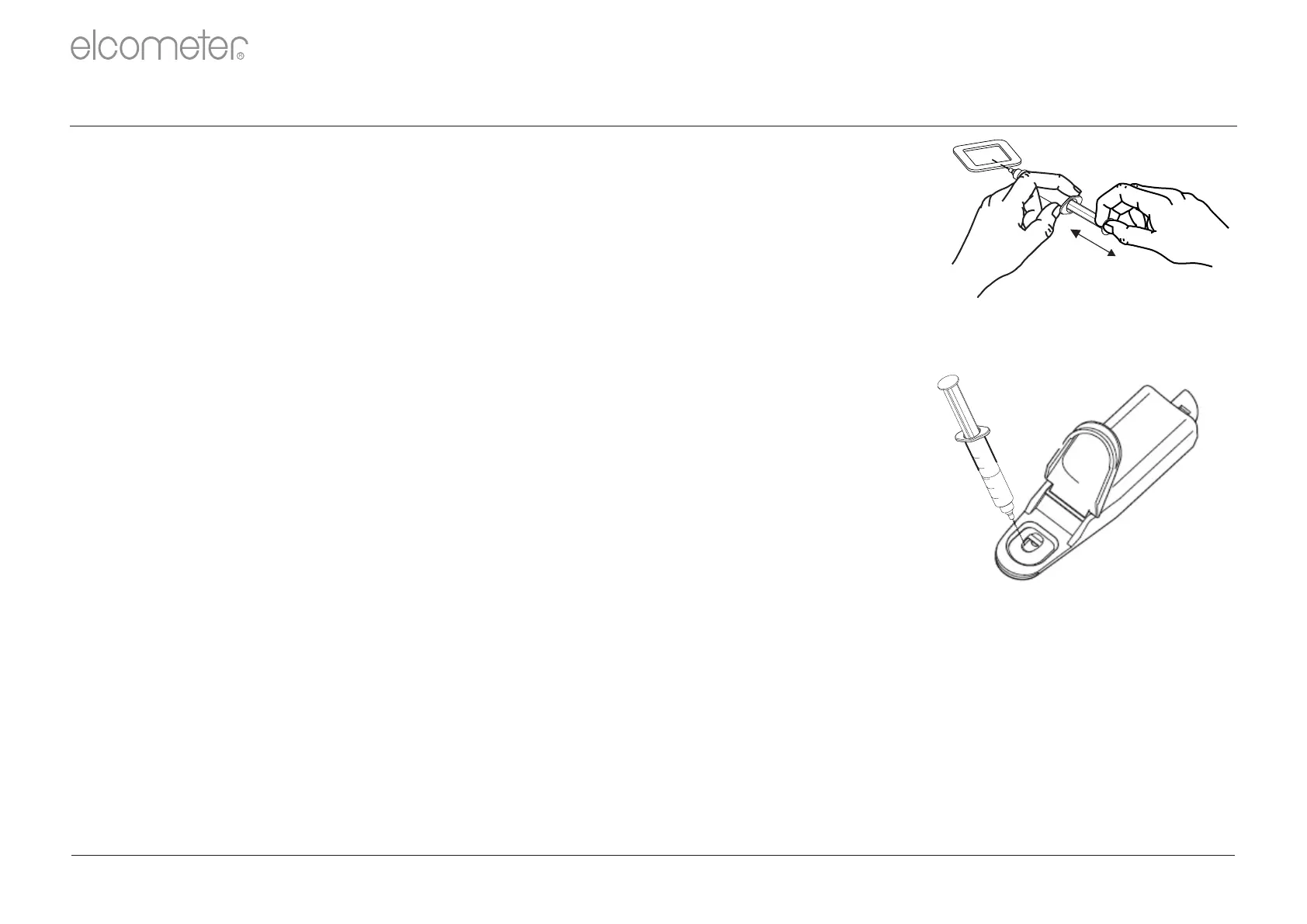
6 During a suitable period of time , without removing the needle, suck
d
and re-inject the solution at least four times .
8 Analyse the solution using the Elcometer 138 Meter, see Section 3.4
on page en- . Inject the sample directly into the sensor cell. Rinse the 6
sensor cell several times with the solution to be measured before
taking the reading.
7 At the end of the period, extract as much solution as possible and
d
remove the syringe from the patch .
4 See Appendix A on page en-15 for further instructions on using the Elcometer 138
Meters.
1 Record the temperature of the solution.
2 Remove the patch from the surface and clean the surface. If
required, any adhesive residue from the patch left on the test surface
can be removed by wiping with a cloth moistened with a suitable
solvent. Ensure that the solvent will not damage the surface before
use.
3.3 AFTER TEST
3 Rinse all components of the test kit, other than the patch, in fresh,
pure water. The components can then be used again.
3 : 8502-6 / 8502-9 (continued)TEST PROCEDURE ISO ISO
d
During steps 6 and 7, it is essential that no solution is lost. If any solution is lost, the test shall be rejected.
c
On un-pitted blast-cleaned areas, a period of 10 minutes has been found to be satisfactory, though this time should be agreed by the interested parties.
1
2
3
4
5
R
en-5 www.elcometer.com



 To Next Page