12
4.4 SPECIAL CONNECTIONS
4.4.1
CT
S
AND NON-STANDARD CLAMP METERS
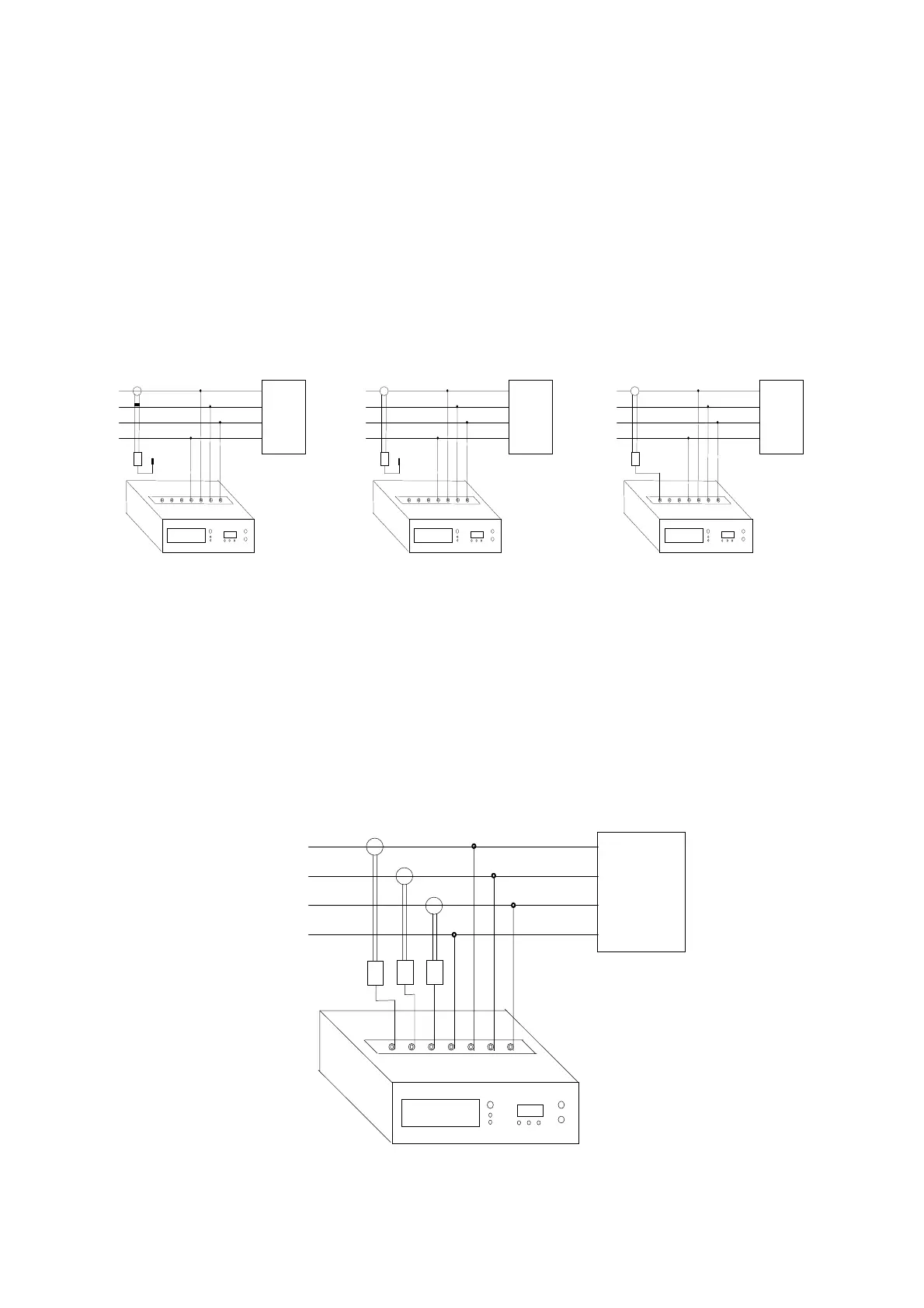
When using current transformers or current measuring clamp meters other than those supplied, use adapter interfaces
INTA/1 (code 4AABB) and INTA/5 (code 4AABD), as listed in the ELCONTROL catalogue.
1) Connect the CT secondary to the INTA/1 or INTA/5 interface.
2) Remove the short circuit from the CT.
3) Connect the interface to the instrument taking care that the voltage and current inputs
correspond.
CAUTION: always use the correct connection layout to avoid serious damage to the instrument (see Fig. 4.7).
LOAD
(T) L3
(S) L2
(R) L1
INTA/1
INTA/5
N
LOAD
(T) L3
(S) L2
(R) L1
INTA/1
INTA/5
N
LOAD
(T) L3
(S) L2
(R) L1
INTA/1
INTA/5
N
Fig. 4.7
When your measuring is finished:
1) Disconnect the interface from the instrument
2) Short circuit the CT secondary
3) Disconnect the CT secondary from the INTA/1 or INTA/5 interface
Fig. 4.8 shows example of CT and non standard clamp meter connections.
Make sure that you program the values of the CT primary as instructed in chapter 5 below.
LOAD
(T) L3
(S) L2
(R) L1
INTA/1-INTA/5
Fig. 4.8


 To Next Page