11
connector; this will open the lower port of the I/O connector. Insert the wire (strip wires by between 1/8” to ¼”)
and release the upper port lever.
Inputs
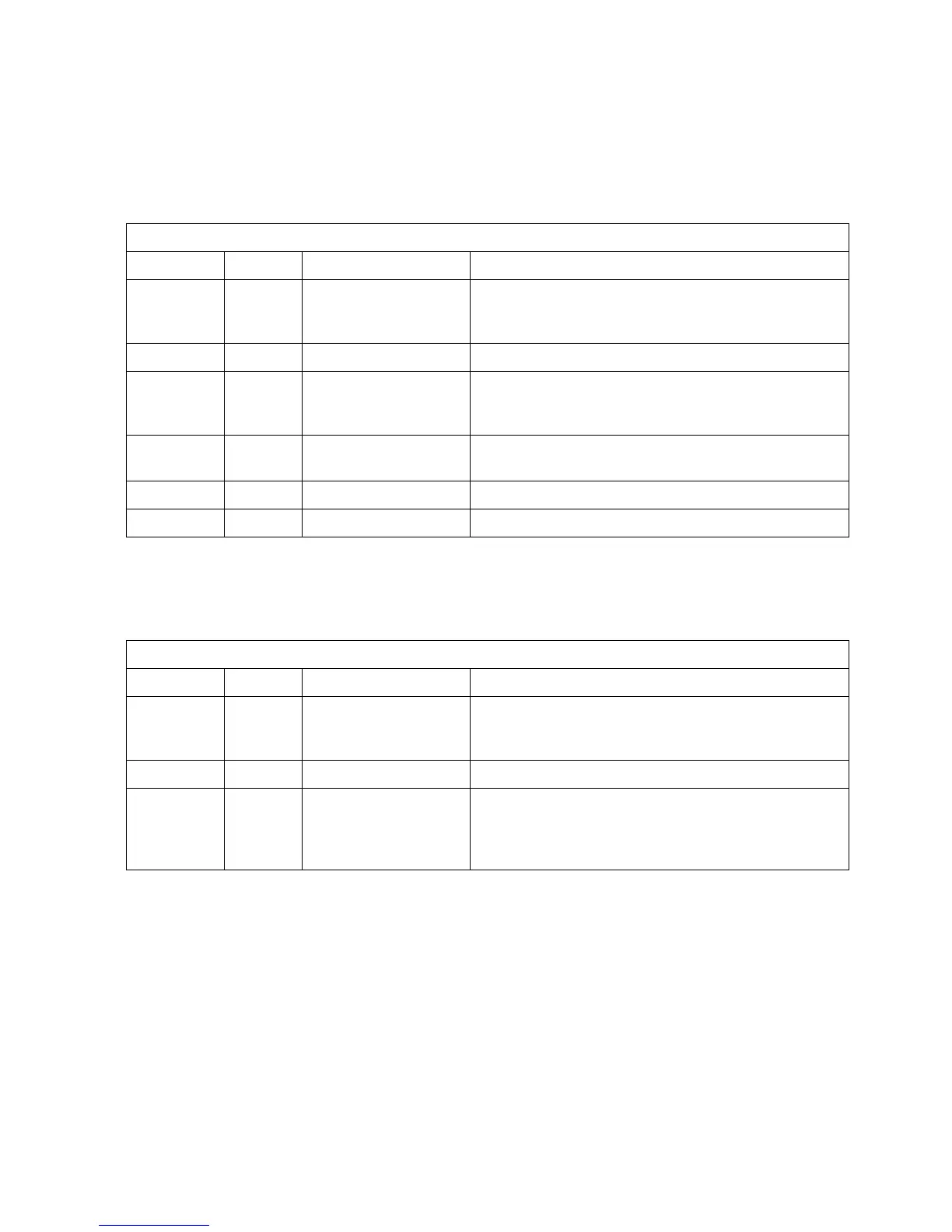
The Optos can be remotely controlled from devices which can send current loop or voltage signals. In addition,
the Optos can be remotely controlled using contact closures. The remote inputs available are defined in Table
2.1:
Allows for remote control of flow rate using a 4-20mA
current loop. Wire signal to position 1 and common to
position 2.
Used in conjunction with position 1.
Allows for remote control of flow rate using a 0-5VDC
control. Wire signal to position 3 and common to
position 5.
Ground position for use in conjunction with position 3, 6
or position 7.
Contact closure, starts running pump at set flow rate.
Contact closure, stops pump.
Outputs
The Optos can send contact closures and an analog signal to remote devices. The remote outputs available are
defined in Table 2.2:
0-5 VDC output of pressure (when optional damper is
installed), or flow (0-5VDC). Signal output is on
position 4; use with ground on position 5.
Used in conjunction with position 4 or position 8.
TTL high output indicating pump error (pressure limit
violation when used with optional damper; motor stall).
Signal output is on position 8; use with ground on
position 5.
RS232
The RJ11 connector on the rear panel provides an RS232 communication port. For details on use of the RS232,
consult Section VI.
Plumbing
Solvent Preparation
Solvent Degassing
We strongly recommend you degass the fluid prior to using it to prevent cavitation. There are many means of
degassing the fluid, including ultrasonication and vacuum systems. Many users find helium sparging convenient
and effective. The usual procedure is to sparge the solvent vigorously for 15 minutes or so and then maintain a


 To Next Page