- 13 -
2. Press and hold the NavCoder center push for just over a second. The
display will then ask ERASE THIS PRESET? Choose OK or CANCEL. If you
choose OK, the preset will be erased and that preset location will now
show as empty.
You cannot recover a preset once it has been erased unless it was previously
saved to your computer through the EHXport app.
Filter
pushing the NavCoder up on most Home screens.
Shortcut: press and hold the DRY button under the FILTER slider for approxi-
mately 2 seconds.
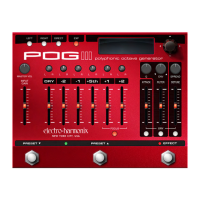
For a complete picture of the POG3’s Filter, also see the Filter controls Top
Panel Controls section on page 5.
Filter Mode: Choose between Low-Pass, Band-Pass, High-Pass.
Low-Pass:
frequency to pass through and attenuates frequencies above the cutoff.
The cutoff frequency is set by the FILTER slider.
Band-Pass:
and below the center frequency set by the FILTER slider.
High-Pass:
the cutoff.
frequency set by the FILTER slider. The higher the setting of the Q knob,
Attack Time:
set above or below the 12 o’clock position) the Attack time parameter sets
upward or downward from the FILTER slider setting. Higher Attack settings
yield slower sweep speeds.
Decay Time:
above or below the 12 o’clock position) the Decay time parameter sets the
speed for the second half of the envelope’s sweep, when it sweeps back to
the FILTER slider setting. Higher Decay settings yield slower sweep speeds.
Trigger Sensitivity
sweep. Trigger Sensitivity allows you to adjust how easily your playing will
trigger the envelope, with higher settings allowing the envelope to be
triggered more easily.







 To Next Page