- 22 -
Factory Settings
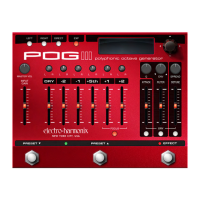
This menu allows you to restore presets and settings back to the default
factory settings.
Please Note: Restoring factory settings overwrites your settings and presets.
Your presets cannot be recovered after performing the Presets 1-10 or All
settings functions. We recommend backing up your presets to your computer
using the EHXport application before performing a factory restore.
Restore: Presets 1-10 (default), Expression, Display, All Settings
Presets 1-10: The factory presets are located in Presets 1-10. Performing
this function will erase the presets currently located in Presets 1-10 and
overwrite them with the factory presets.
Expression: Restores the factory expression settings.
Display: Restores the three Display Options.
All Settings: Erases all presets on the POG3 and then restores factory
Presets 1-10. This function also resets all other settings to their factory
defaults. After performing All settings restore, the POG3 restarts.
Please Note: all of your presets should be backed up to your computer
using the EHXport app prior to running the All settings function.
Firmware
EHXport™
Register your POG3 online at www.ehx.com/production-registration.
for download through the EHXport™ application.
EHXport™ app and clicking on the Device Settings/Firmware tab.
Notes and Specications
Current Draw: 300mA at 9V
Power Supply: 9.6VDC/0.5A/Center-Negative








 To Next Page