EasyManua.ls Logo

Electro-Voice EVOLVE 50 - User Manual

Electro-Voice EVOLVE 50
28 pages
Print Icon
To Next Page IconTo Next Page
Loading...
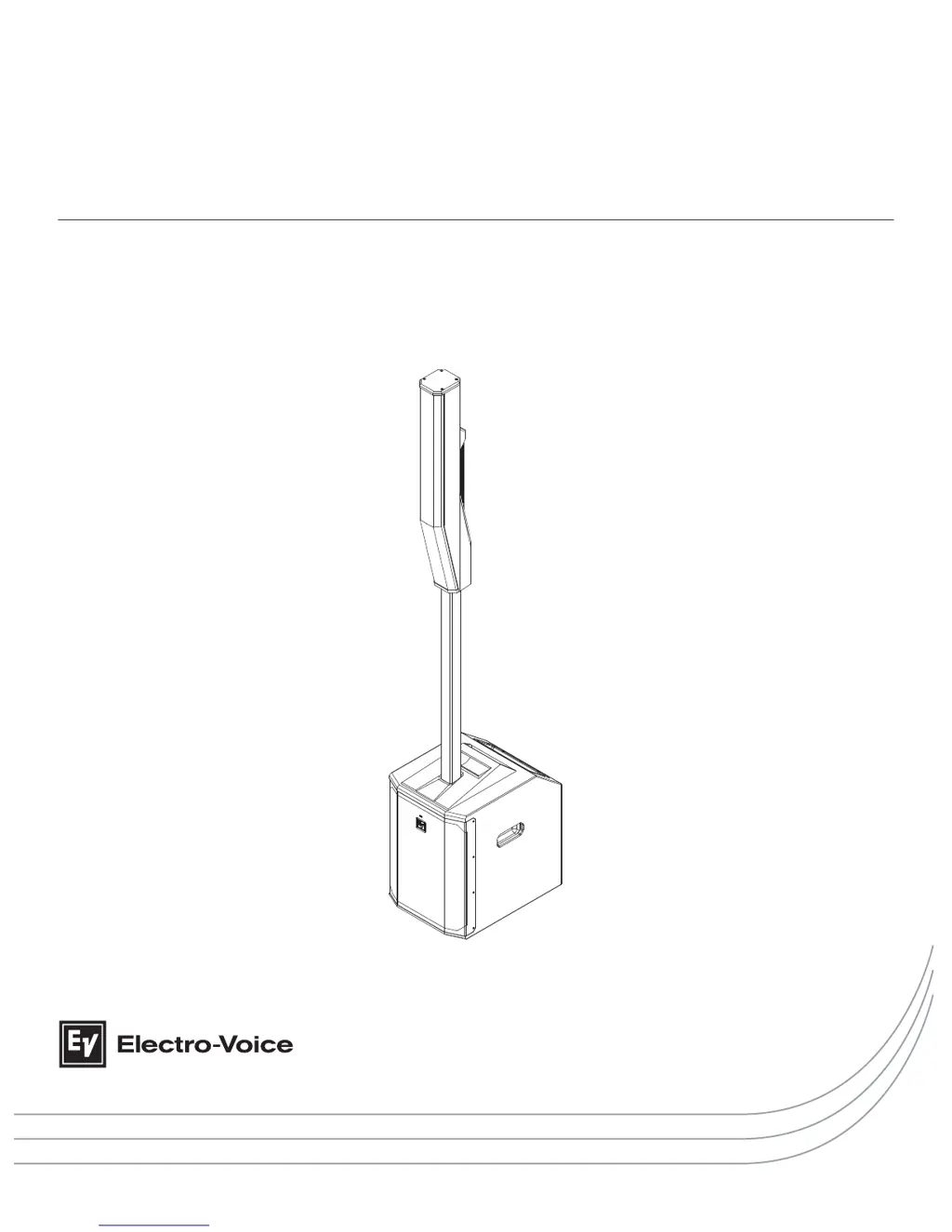
EVOLVE 50 Portable Column System
en | Installation manual

Questions and Answers

  • A
    allenamandaAug 17, 2025
    What to do if my Electro-Voice Speaker System microphone produces acoustic feedback when the input level is amplified?
    • A
      Adrian ParkerAug 17, 2025
      If your microphone produces acoustic feedback when the input level is amplified, it may be due to an incorrect gain structure. Reduce the microphone levels at the mixing console or input source. If the microphone is connected directly to the speaker, reduce the input level on the speaker. Positioning the microphone close to the sound source increases gain-before-feedback. If the MODE is set to MUSIC, change it to LIVE or SPEECH. Also, position the loudspeakers so the microphone is behind them whenever possible. If using the loudspeaker in a monitor position, aim the loudspeaker to the back of the microphone.
  • R
    Robin AndersonAug 21, 2025
    What to do if my Electro-Voice Speaker System has constant noise such as buzzing, hissing, or humming?
    • M
      Matthew KellyAug 21, 2025
      If you're experiencing constant noise like buzzing, hissing, or humming from your Electro-Voice Speaker System, and no program material is playing, evaluate each component to isolate the source of the noise. It's likely there's a break in the signal path. Also, check and correct the system grounding, as required. If the input gain knob is not in the MIC position, slowly increase the input gain knob level to engage the microphone pre-amp.
  • P
    Patrick FisherAug 25, 2025
    What to do if my Electro-Voice EVOLVE 50 Speaker System sound is distorted and the front LED is OFF, LCD screen LIMIT is ON?
    • P
      Peggy JohnsonAug 26, 2025
      If the sound from your Electro-Voice Speaker System is distorted, the front LED is OFF, and the LCD screen shows LIMIT is ON, it indicates excessive input level. Reduce the input level or loudspeaker level knobs to prevent limiting.
  • K
    Katherine TaylorAug 28, 2025
    What to do if my Electro-Voice EVOLVE 50 Speaker System produces no sound with microphone connected to INPUT 1 or INPUT 2?
    • M
      Michael WilliamsAug 28, 2025
      If your Electro-Voice Speaker System produces no sound when a microphone is connected to INPUT 1 or INPUT 2, it might be because the microphone requires phantom power. Use a dynamic microphone that does not require phantom power (+15 V). If using a microphone requiring phantom power, enable PHANTOM POWER is the DSP menu, or use an external phantom power source. Also, ensure the input gain knob is not in the MIC position; slowly increase the input gain knob level to engage the microphone pre-amp.
  • A
    aaron90Sep 1, 2025
    Why does my Electro-Voice EVOLVE 50 have intermittent output such as crackling or distortion?
    • S
      Stacy MathewsSep 1, 2025
      If your Electro-Voice Speaker System experiences intermittent output issues like crackling or distortion, begin by inspecting all connections at both the amplifier and loudspeakers. Ensure every connection is clean and securely tightened. Should the problem persist, proceed to examine the wiring.
  • J
    Jamie ThompsonSep 4, 2025
    How to unlock the DSP menu on my Electro-Voice EVOLVE 50 Speaker System?
    • V
      victoria40Sep 4, 2025
      If the DSP menu on your Electro-Voice Speaker System is locked, it's likely that the Menu Lock function has been turned on. To unlock it, press and hold the MASTER VOL knob for 5 seconds.
  • D
    duanesextonSep 8, 2025
    What to do if QuickSmart Mobile app does not detect my Electro-Voice loudspeaker?
    • M
      Michael HoganSep 8, 2025
      Ensure Bluetooth® is enabled on the loudspeaker.
  • G
    George BurnettNov 12, 2025
    Why is there no sound coming from my Electro-Voice Speaker System?
    • Y
      yolsonNov 12, 2025
      If your Electro-Voice Speaker System isn't producing sound, first check that all electronic components are powered on, the signal routing is correctly configured, the audio source is active, and the volume is appropriately adjusted. Make necessary corrections, repairs, or replacements. If the issue persists, the problem might be related to the wiring. Verify that you've connected the correct cables to the amplifier. Play audio at a low level through the amplifier, then connect a test loudspeaker in parallel with the malfunctioning line. A significant drop or absence of sound indicates a short in the line, potentially caused by a scrape, pinch, or connection issue. Use the test loudspeaker to check each connection and junction until you locate and fix the problem, ensuring correct polarity ...

Summary

Safety and Precautions

Important Safety Instructions

Crucial safety precautions and warnings for operating the Electro-Voice loudspeaker system.

FCC and Regulatory Compliance

Details FCC compliance and other regulatory notices for the device.

Usage Precautions

Guidelines on environmental conditions, handling, and usage to prevent damage or injury.

Notices and Disclaimers

Information on electronic waste disposal, copyright, and general notices.

Short Information

Shipping Contents

Lists all components included in the package for the subwoofer and column array.

System Description

System Features

Highlights key features like QuickSmart Mobile app, Bluetooth audio, and coverage.

Quick Setup Guide

Step-by-step instructions for initial setup of the subwoofer and connections.

Installation

Assembling the Loudspeaker System

Detailed steps to physically assemble the subwoofer, pole, and column array.

Amplifier and DSP

Amplifier DSP Controls and Connectors

Explains the functions of the LCD, master volume, and various input/output ports.

System Status Indicators

Describes how to interpret the system status screen and Bluetooth indicators.

DSP Control Menu Options

Details the various settings and options available within the DSP control menu.

QuickSmart Mobile Application Pairing

Recommended Configurations

Stereo Pair Setup

Instructions for configuring two EVOLVE 50 systems for stereo sound.

Solo Musician Performance

Recommended DSP settings and connections for a single performer.

Troubleshooting

Technical Data

Dimensions and Weights

Provides detailed physical dimensions and net/shipping weights of system components.

Frequency Response Data

Presents graphical representations of the system's frequency response in different modes.

Electro-Voice EVOLVE 50 Specifications

General IconGeneral
Frequency Response43 Hz - 20 kHz
Frequency Range (-10 dB)37 Hz - 20 kHz
Max SPL127 dB
Amplifier Power1000 W
Coverage Pattern120° x 40°
Crossover Frequency200 Hz
LF Channel Power500 W
HF Channel Power500 W
GrillePowder-coated Steel
Power Output1000 W
Dimensions20.9 x 13.6 x 18.5 inches
Speaker TypePowered Column System
Enclosure MaterialPolypropylene
Subwoofer Dimensions20.9 x 13.6 x 18.5 inches
Power Consumption100 - 240 V, 50 - 60 Hz
TypePowered Column Array
OutputsXLR
Power Source100-240V, 50/60Hz
HF Driver8 x 3.5" Neodymium Drivers
ConnectorsXLR, 1/4", RCA
InputsXLR, 1/4", RCA

Related product manuals