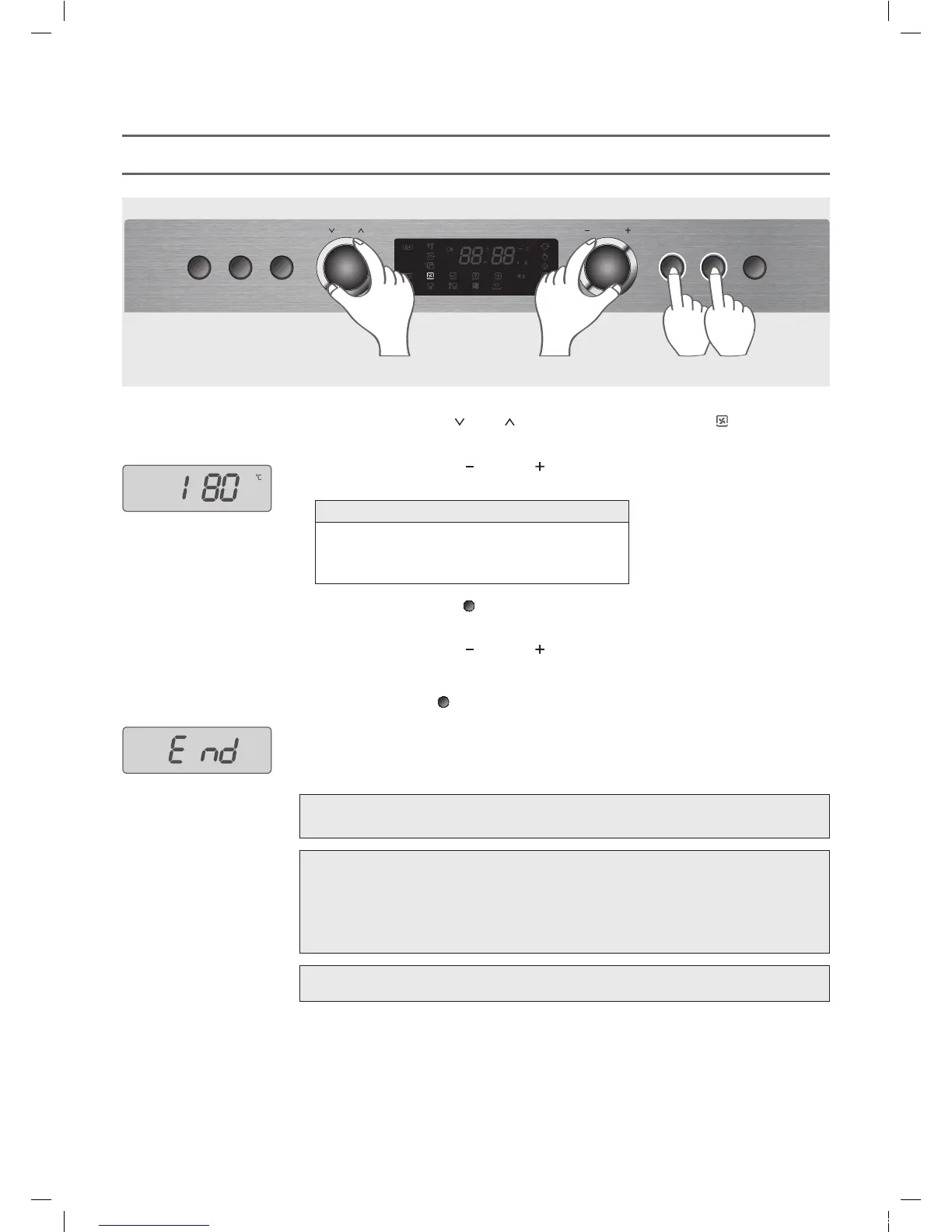
This function enables you to cook food in the same way as in a traditional oven.
CONVECTION COOK (without Preheating)
1. Turn the Menu Dial knob (
) to adjust to CONVECTION COOK ( ).
2. Turn the Control Dial knob (
) to select temperature.
(example: 180 °C)
3. Press the Selection button (
).
4. Turn the Control Dial knob (
) to enter the cooking time.
You can enter the cooking time up to 2 hours in Convection cook.
5. Press the Start button (
).
6. The display shows “End” and beep sounds when the cooking is completed.
180°C 190°C 200°C 210°C 220°C 230°C
240°C 250°C 100°C 110°C 120°C 130°C
140°C 150°C 160°C 170°C 180°C
Temperature sequence
NOTE:
•
When you operate the oven at the first time, smoke and bad odor might come out from the
oven. Then, it will be helpful to operate the oven in Convection cook at 250°C with no food
for about 10 minutes.
• The cooling fan could be operated for a few minutes after cooking for the safety.
The display will show “Cool” and “0” or “current time” in turns while the cooling fan is
operated.
WARNING: The oven and accessories are very hot after cooking.
Use a thick oven glove while you are handing food or accessories.
Quick
Defrost
Power
SteamClean
Start/
+30sec
Stop/
CancelSelection
MENU CONTROL
1 24 3 5
NOTE:
Steam feature is not available for Convection Cook.
EMS3477X(KOS-1C5K5R)(영)_E-LUX.indd 22 2014-10-06 오전 11:44:48







 To Next Page