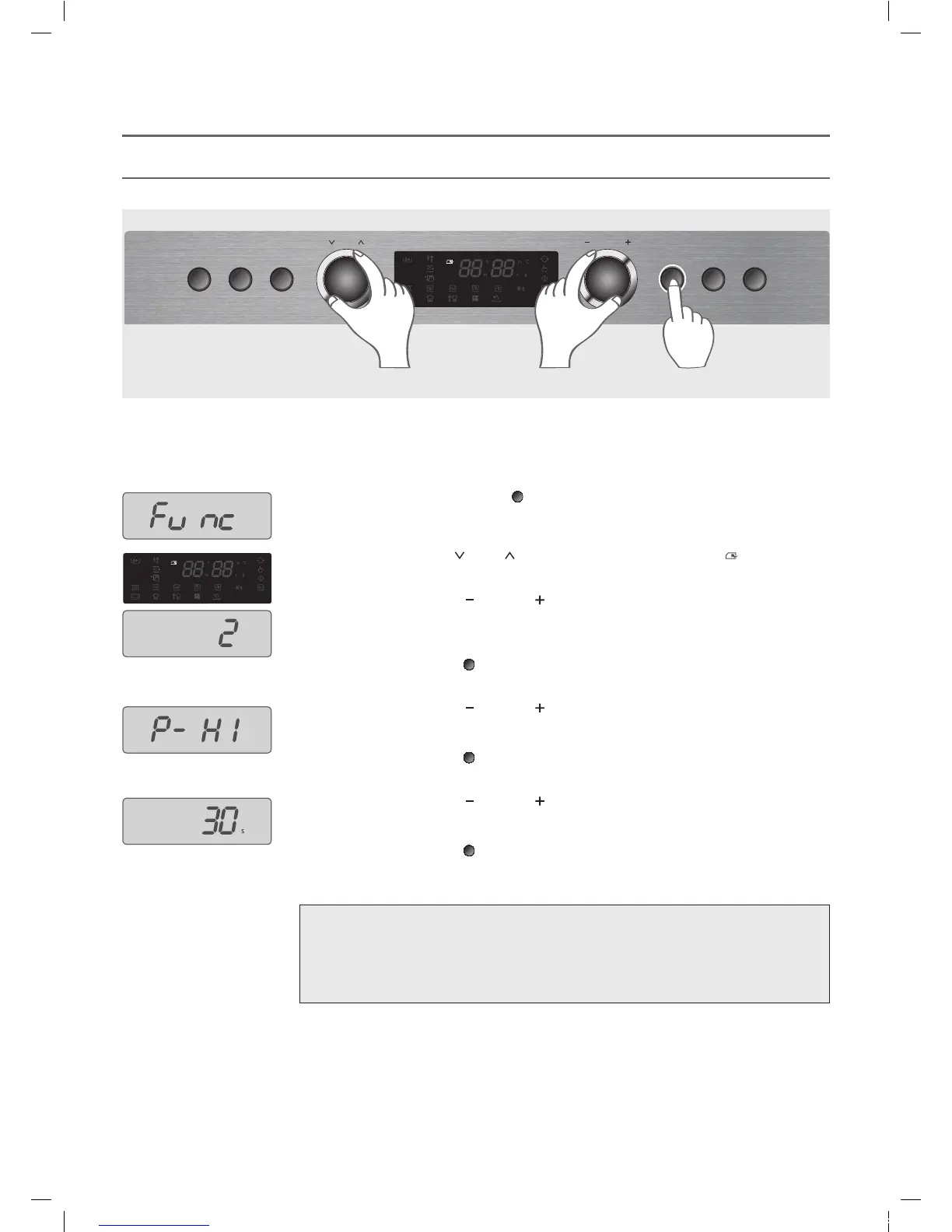
You can save the microwave cook used frequently in the memory.
!"##$%&'#("')")*+,'-**.
"/012345''$6'789':0;<'<8'=0>4'?@'=4A8;B='86'1CAD8:0>4'A88E'0<'6933'28:4D'C;<8'<F4'=4A8;B'
1418D7'=<8D0G4HHH
IH Press and hold the !434A<C8;'button (
) for 3 seconds.
The display shows “J9;A”.
KH Turn the )4;9'LC03 knob (
) until the display lights )418D7'A88E ( ).
?H Turn the -8;<D83'LC03 knob (
) to select one of memory storage.
(4/012345 When you select the second memory storage )
MH Press the !434A<C8;'button (
).
NH Turn the -8;<D83'LC03 knob (
) to select the microwave power level.
(4/012345 at full power)
OH Press the !434A<C8;'button (
).
PH Turn the -8;<D83'LC03 knob (
) to enter the cooking time.
QH Press the !434A<C8;'button (
). Then the setting is completed.
%8<4'5
• You can program three memory cooks in the memory storage.
• Microwave cook is only available for Memory cooking.
• If power is shut down, all the memory cooks stored in the memory storage are lost.
And they will be changed to the default memory cooks programmed in the factory.
Quick
Defrost
Power
SteamClean
Start/
+30sec
Stop/
CancelSelection
MENU CONTROL
EMS3477X(KOS-1C5K5R)(영)_E-LUX.indd 35 2014-10-06 오전 11:45:02







 To Next Page