6 electrolux
Control panel
How the electronic Touch Con-
trols on the oven work
The Touch Control buttons
All the oven functions are controlled elec-
tronically. You can select any combination
of cooking function, cooking temperature
and automatic timing using the touch con-
trols.
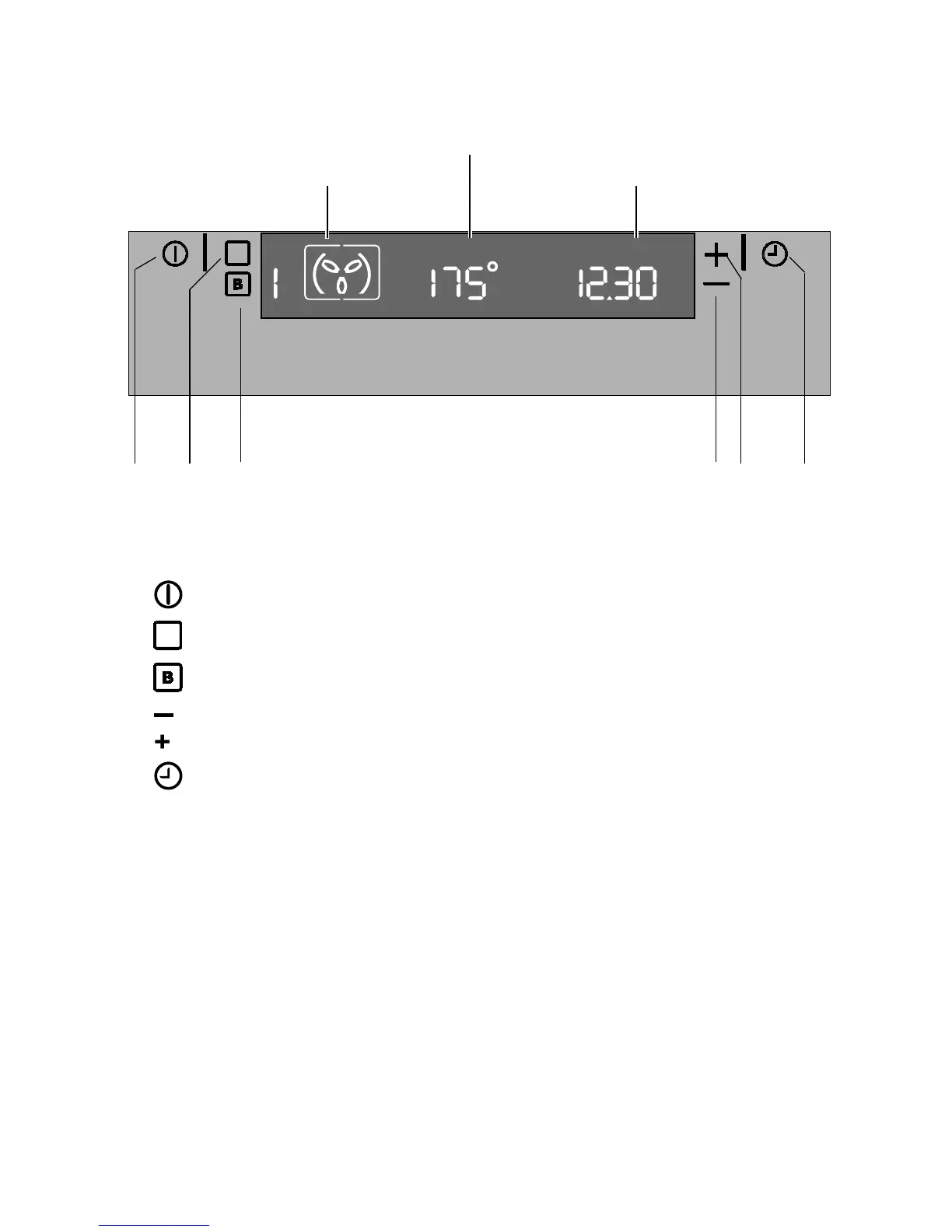
The electronic Touch Controls on the oven
1. - “On/Off” Touch Control
2.
- Touch Control for cooking functions
3.
- Touch Control for the Fast Heat Up function
4.
- Touch Control to Decrease (Time or Temperature)
5. - Touch Control to Increase (Time or Temperature)
6. - Touch Control for the time, Minute Minder, End of cooking time, Cooking
duration time, Time of day
Make sure you touch just one control button
at a time. If you touch the cooking function
control for a longer time, the next cooking
function will be selected.
Cooking functions display
Temperature display
Time display
1 2 5 6 3 4



 To Next Page