electrolux 9
How to set the temperature
and cooking time
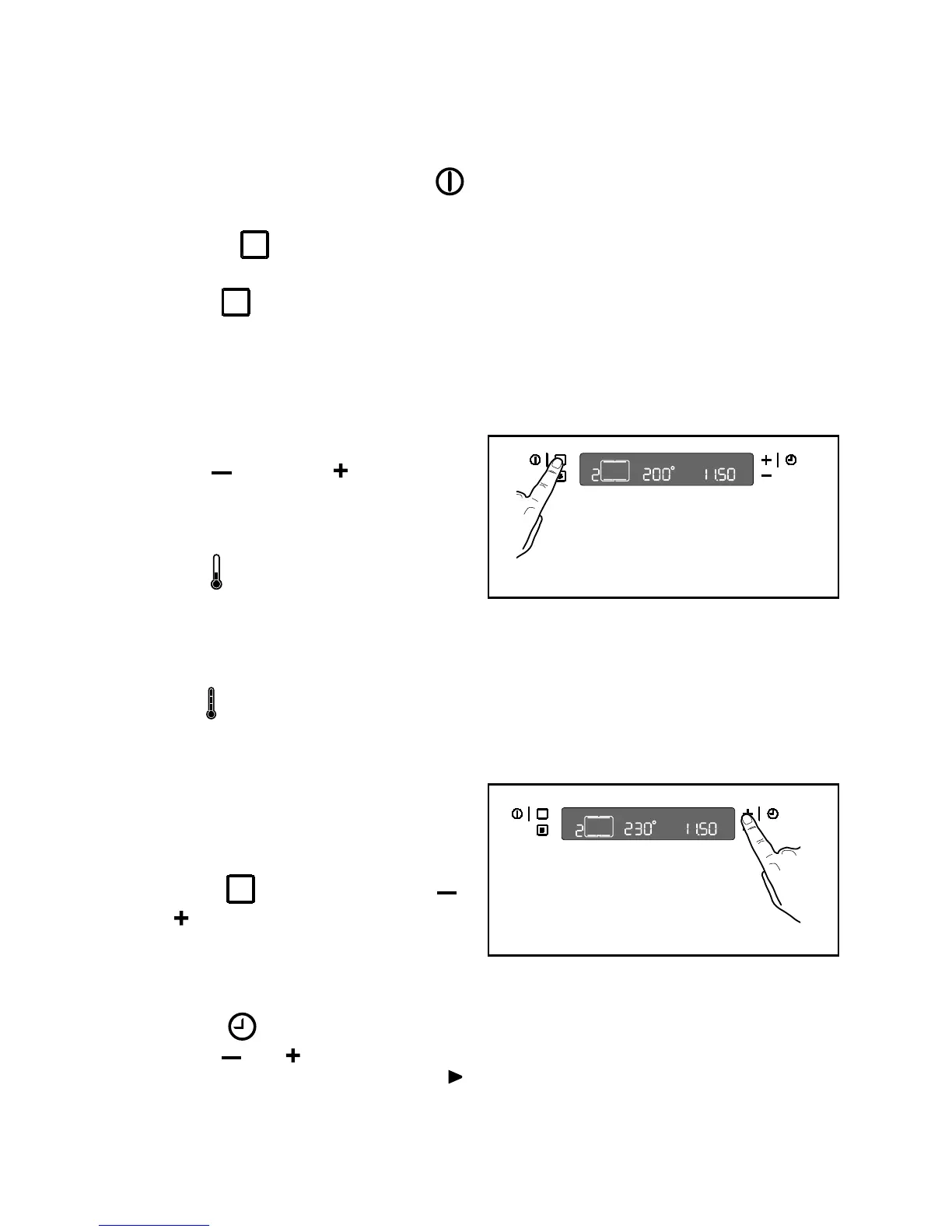
It is possible to set the temperature and
cooking time while the oven is working.
1. Touch the control and then the “ ”
or “
” control to increase or decrease
the pre-set temperature. The “
°” symbol
will flash while you are doing this (Fig.
6).
2. Touch the
time function control and
then the “
” or “ ” control to increase
or decrease the cooking time. The
symbol (next to the time display) will
flash while you are doing this.
Fig. 6
How to select a Cooking
Function
1. Switch the oven on by touching the
control.
2. Touch the control to select the
required oven function. Each time you
touch the
control, a cooking function
symbol will appear in the display and
the corresponding cooking function
number will appear to the left of the
currently selected cooking function
symbol (Fig. 5).
3. If the pre-set temperature is not suitable,
use the
“ ”
control or
“ ”
control to set
the temperature. The temperature is
adjusted in 5 degree steps.
- As the oven heats up, the thermometer
symbol
rises slowly, indicating the
current oven temperature.
When the required temperature is
reached, an acoustic alarm will sound
for a short time and the thermometer
symbol will light up permanently.
Fig. 5



 To Next Page