electrolux 11
Programming the Oven
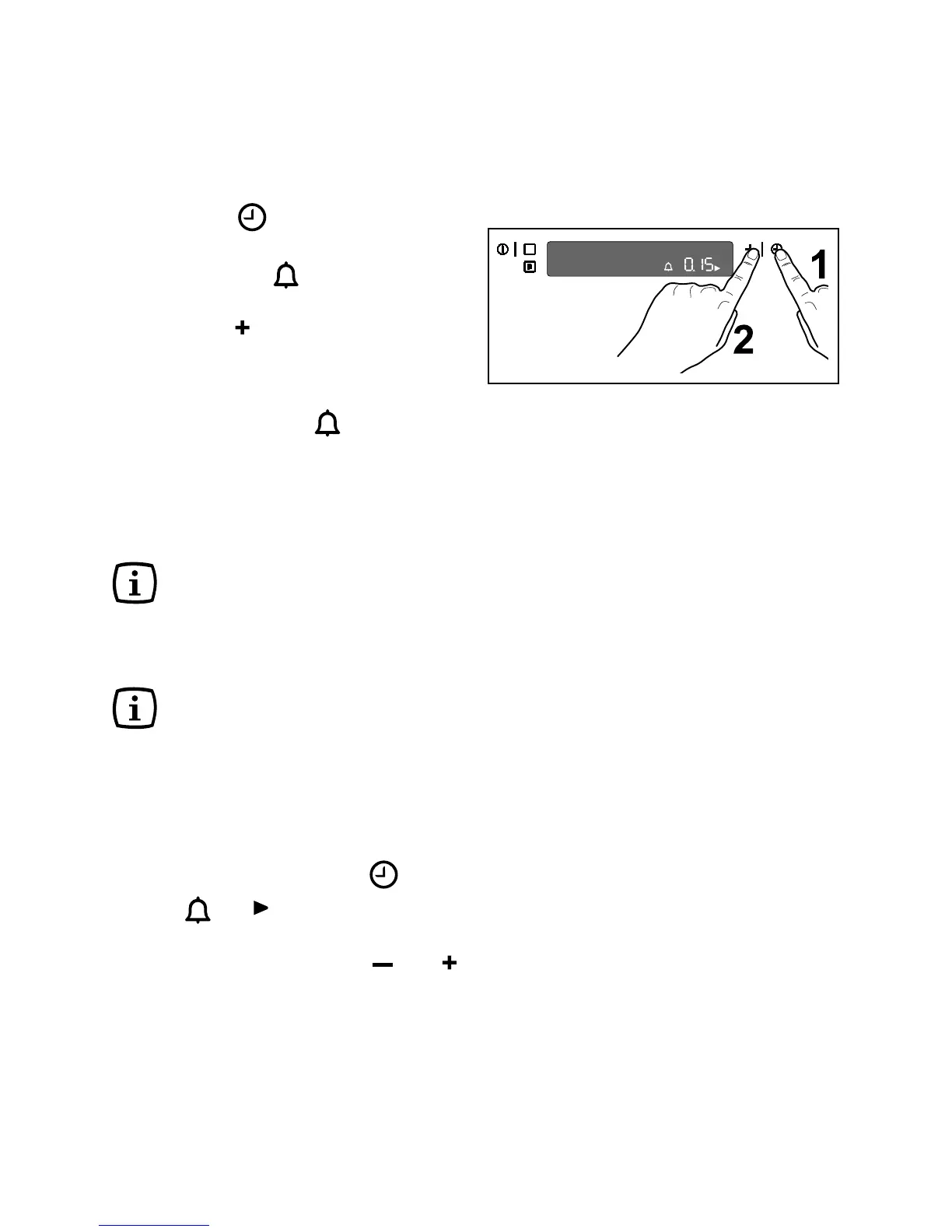
How to set the minute minder
1. Touch the time function control to
select the Minute Minder function. The
relevant symbol will flash and “0.00”
appears in the control panel (Fig. 7).
2. Touch the “
” control and set the desired
time. Maximum time is 23 hours 59
minutes. After the setting is carried out,
the Minute Minder starts to run after a few
seconds. The symbol
will flash during
the programmed time.
3. When the programmed time has elapsed,
an acoustic alarm will be heard.
4. To switch off the acoustic alarm, touch
any control.
The acoustic alarm will switch
off automatically after
approximately one minute and
the current time will be
displayed on the control panel.
The oven will NOT switch off if
in use.
The Minute Minder function
can also be used when the
oven is off.
How to change the Minute Minder
setting:
Touch the time function control
until the
symbols and flash.
It is now possible to change the setting of
the minute minder using the “
” or “ ”
control.
Fig. 7



 To Next Page