- 29 -
DGS-TDS-N07.2003 C.D. 599 51 74-13 EN
9. Service test programme
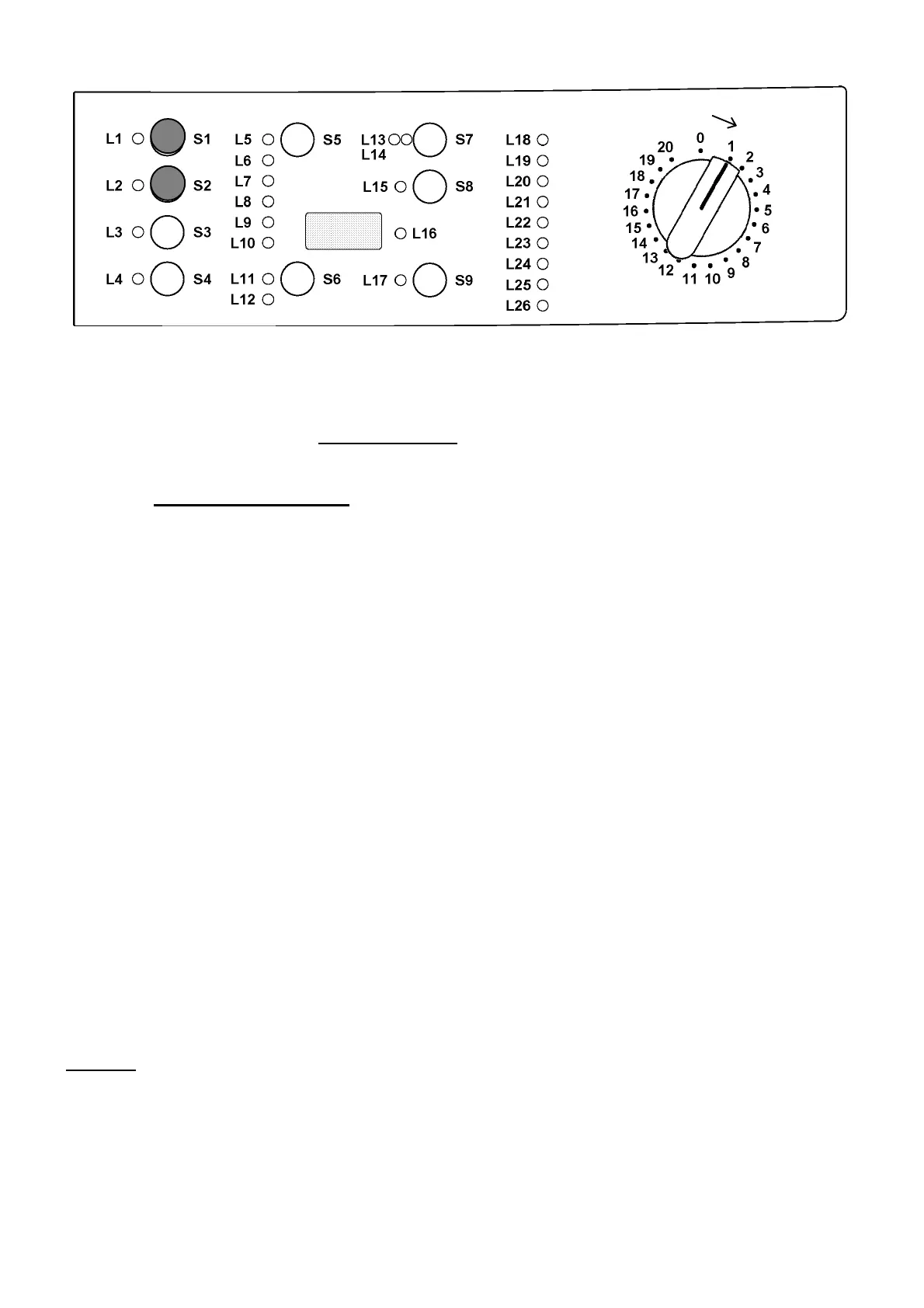
9.1 Access to service test programme:
- Switch off the appliance (programme selector position 0).
- Press and hold down
button S1 and S2 simultaneously.
- Holding down both buttons, switch the appliance on by turning the programme selector
one position to the right (clockwise).
- Continue to hold down both buttons at least 2 sec. until the LEDs begin to flash.
Irrespective of the type of PCB and the configuration of the programme selector it is possible, after
entering service test mode, to perform diagnostics on the operation of the various components and to
read the alarms by turning the programme selector clockwise.
All the alarms are enabled during the diagnostics cycle.
Position 1: LED-test
Position 2: Water ducted through washing compartment (water level below fS, max. 5 min.)
Position 3: Water ducted through pre-wash compartment (water level below fS, max. 5 min.)
Position 4: Water ducted through conditioner compartment (water level below fS, max. 5 min.)
Position 5: Water ducted through stain compartment (water level below fS, max. 5 min.)
Position 6: Heating (water level above 1st level, max. 10 min. or up to 90°C)
Position 7: Check for leaks from the tub (water level above 1st level, motor 55 rpm, 250rpm impulse)
Position 8: Drain and spin (drain pump, motor up to 650 rpm then at max. spin speed)
Position 9: Not used
Position 10: Reading the last alarm code.
9.2 Exiting service test program:
- To exit the service test program, switch off the appliance.
Attetion: According to the machine configuration it is possible that the electric test cycle will be
activated with the next switch on of the machine. In the display will appear ELE
To stop it, switch off/on the appliance again.




 To Next Page