- 35 -
DGS-TDS-N07.2003 C.D. 599 51 74-13 EN
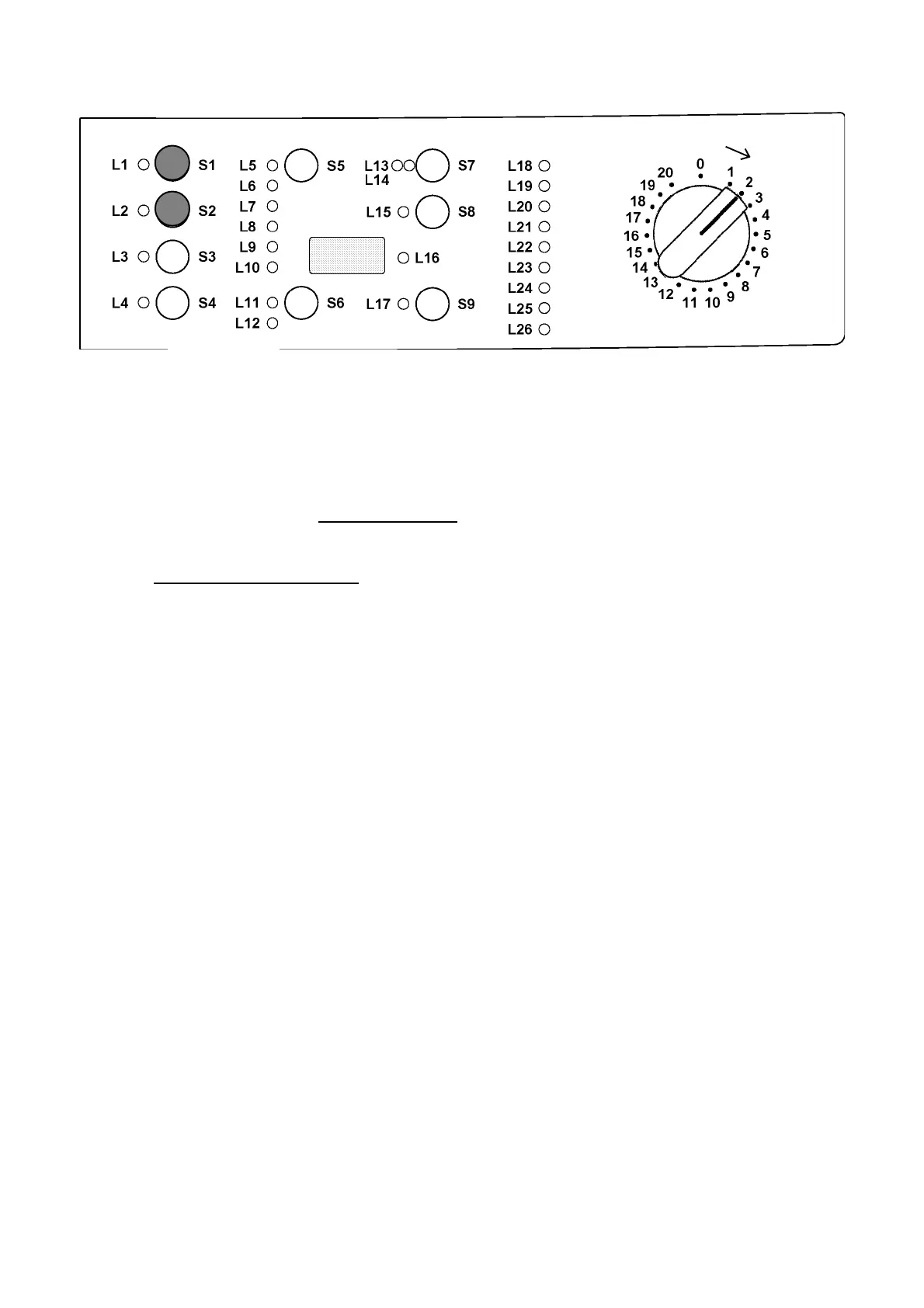
11.1 Access to demo-mode:
- Switch off the appliance (programme selector position 0).
- Press and hold down button S1 and S2 simultaneously.
- Holding down both buttons, switch the appliance on by turning the programme selector
two positions to the right (clockwise).
- Continue to hold down both buttons at least 2 sec.
11.2 Exiting demo-mode:
- To exit demo-mode, switch off the appliance.
11. Demo-mode




 To Next Page