8. GUIDe FoR otHeR UseFUL PRoGRAMs (CONT’D)
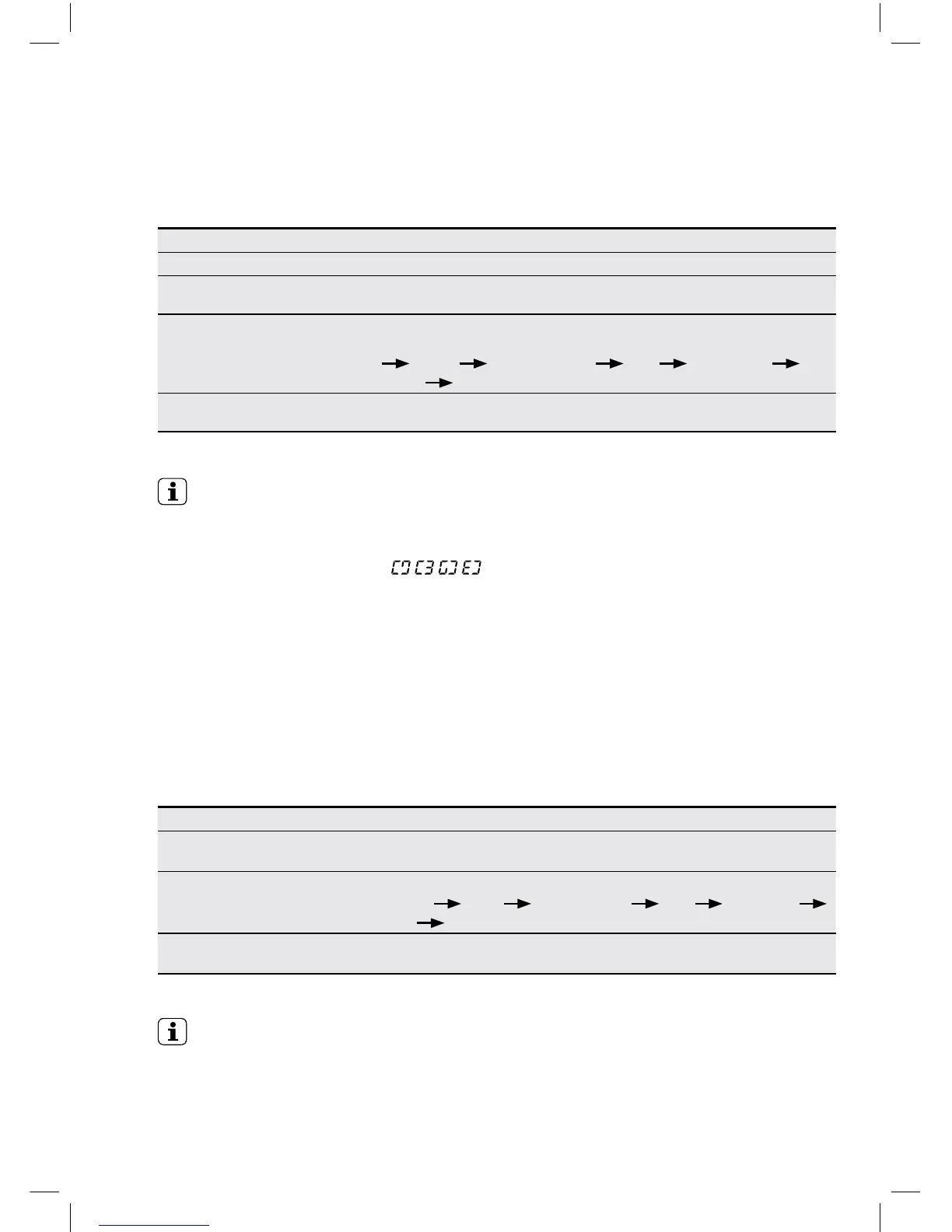
8.5 Dry (Dry Only)
1 Put the laundry into the Drum and close the Door
2
Press the Power button.
• The LED shows only ‘- --’ signal.
3
Select the “Dry condition” by pressing “DRY” button.
As this button is pressed, the dry condition is selected by ‘Normal’
‘More’ ‘30/60/90(min)’ oFF ‘Low Temp’
‘Less’ ‘Normal’
4
Press the ‘Start/Pause’ button.
• The washer will operate with locked Door.
NOTE
• Do not use detergent and softner
• Should open the Cold water tap in order to get the best dry performance.
• After nishing this program,
is showed on PCB board alternately and the
smoothing creases program is conducted during 30 minute and then power is OFF.
• Be careful of high temperature when pulling out clothes.
• A little shrinkage and deformation will be possibly happened after drying, so check
whether each clothing is suitable for high temperature dry.
• If the dry performance is poor, change the dry condition selected.
8.5 Dry (Dry Only)
1
Select and set up wash program as guided on the previous pages,
up to the procedure before pressing “Start/Pause” button.
2
Press “Dry” button and select the “Dry condition” :
Normal
More 30/60/90(min) oFF Low Temp
Less Normal
3
Press the Start/Pause button.
• The washer will operate with locked Door.
• You can set this washer to perform wash and dry within one cycle.
• If you want to operate quickly, select the “Wash-Dry” program by program selection dial.
• If you want to dry after wash.
NOTE
• “Woollens”, “Delicates”, and “Clean Me” programs can not be used with “Dry” in order
to care the fabric.




 To Next Page