31
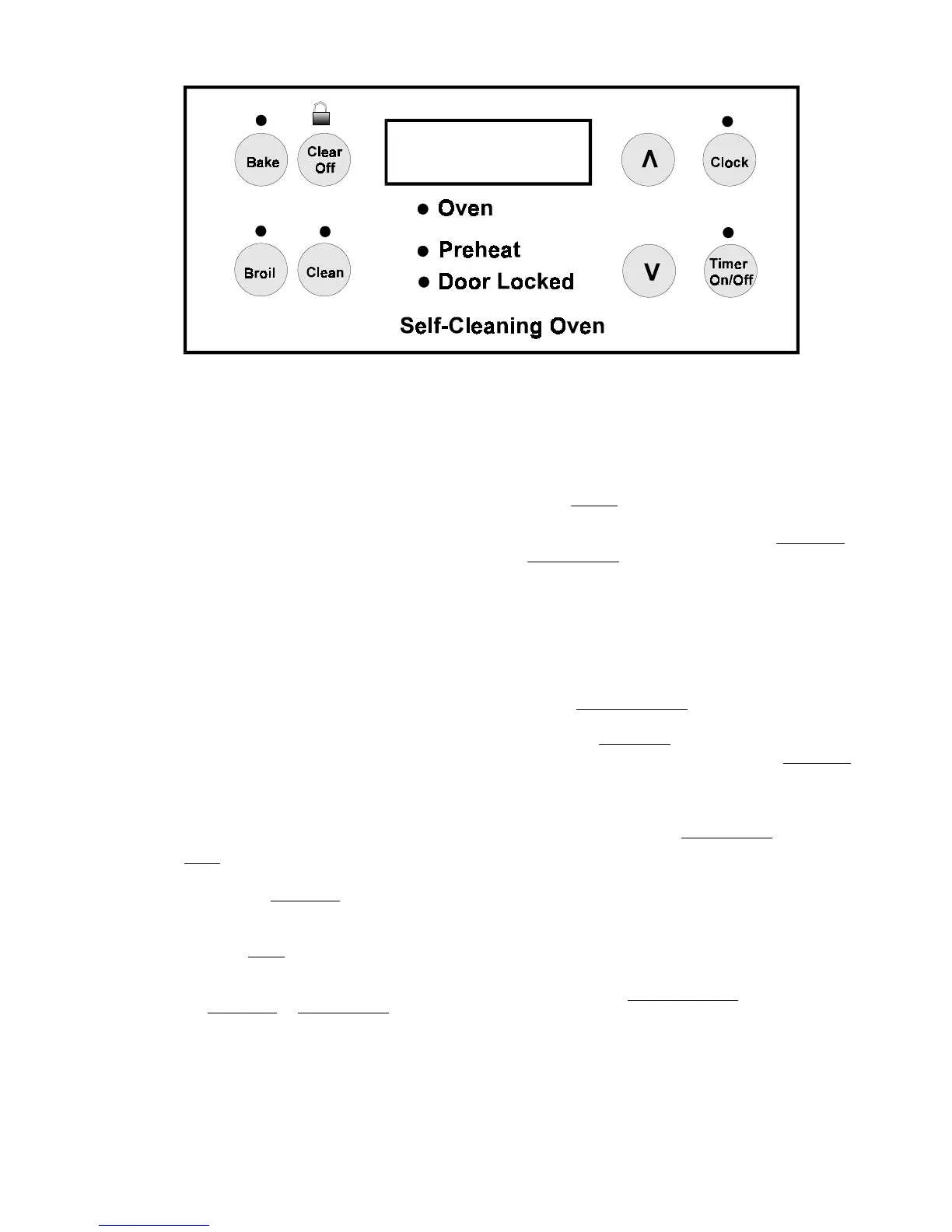
The ES 200 Electronic Oven Control System:
The ES 200 electronic oven control system is used to
control the oven on self-cleaning model ranges that do
not have the timed bake, speed bake or the convection
features.
How to program the ES 200:
The oven can be programmed to: Bake, Broil, Self-Clean,
Continuous Bake, and set for Oven Lockout.
Temperature conversion:
The electronic oven control is set to operate in °F
(Fahrenheit) when shipped from the factory. The oven
can be programmed for any temperature from 170° F to
550° F (65° C to 287° C Celsius).
To change the temperature from °F to °C or from °C
to °F:
NOTE: Control should not be in a Bake or Clean
mode.
1. Press Broil. "— —" appears in the display.
2. Press and hold the Up Arrow until "HI" appears in
the display.
3. Press and hold Broil until °F or °C appears in the
display.
4. Press the Up Arrow or Down Arrow to change °F
to °C or °C to °F.
5. Press any control pad to return to normal operating
mode.
NOTE: The time of day must first be set in order to
operate the oven.
To set the clock:
When the range is first plugged in, or when the power
supply to the range has been interrupted, the display will
flash "12:00".
1. Press Clock .
2. Within 5 seconds, press and hold the Up Arrow or
Down Arrow until the correct time of day appears
in the display.
NOTE: The clock cannot be changed during the
self-clean cycle.
To set the minute timer:
1. Press Timer ON/OFF .
2. Press the Up Arrow to increase the time in one
minute increments. Press and hold the Up Arrow t o
increase the time in 10 minute increments. The timer
can be set for any amount of time from 1 minute to
11 hours and 59 minutes.
NOTE: If you press the Down Arrow first, the timer
will advance to 11 hours and 59 minutes.
3. The display shows the timer count down in minutes
until one minute remains. Then the display will count
down in seconds.
4. When the set time has run out, the timer will beep 3
times. It will then continue to beep 3 times every 60
seconds until Timer ON/OFF is pressed.
NOTE: The minute timer does not start or stop cooking.
It serves as an extra timer in the kitchen that will beep
when the set time has run out. The minute timer can be
used alone or during any of the other oven functions.
When the minute timer is in use with any other function,
the minute timer will be shown in the display. To view
other functions, press the pad for that function.



 To Next Page