14
The user can also adjust the counters to create a warning when the consumables are about to nish or when they are nished.
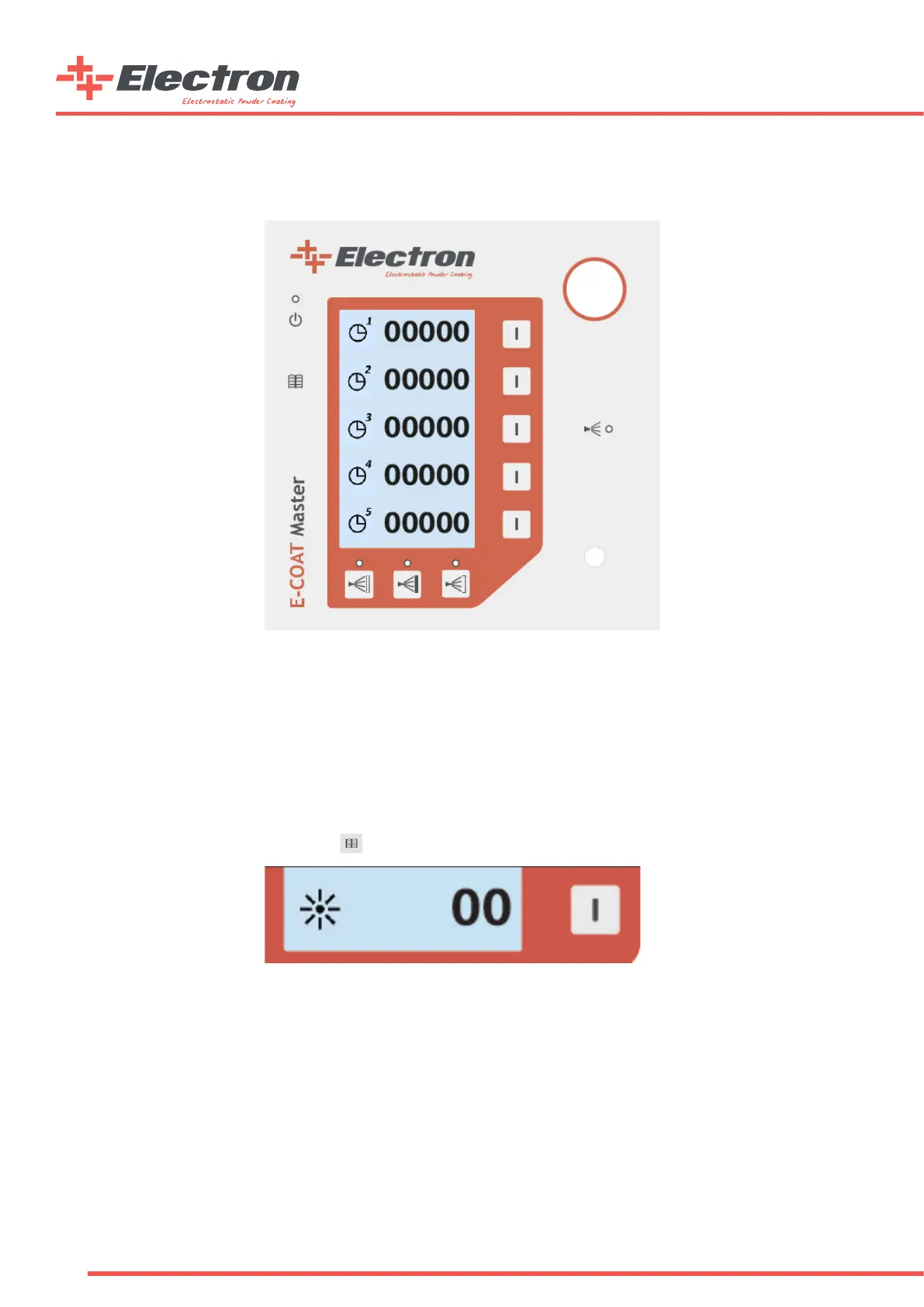
See the counters on the screen below.
Consumable Counters Screen
The user can differentiate between consumables and adjust ve different consumables on the screen. The counters will warn the
user when they reach to zero if they are not reset. A “!” sign will lit and blink on the bottom of the main page when a counter has
reached to “0” and the counter is not reset by entering into the counters page for acknowledgement. The blinking “!” sign will
disappear from the screen when user enters to the counters page to acknowledge the counter alarm. The unit of the counters are
“Days”.
f. Screen Brightness Adjustment
E-COAT Master electrostatic powder paint control unit screen brightness can be adjusted by the user. The LCD screen allows the
user to change the brightness from the segment button shown below in the second part of the Main Page. Reaching to the second
part of the Main Page is from pressing the B2 button once.
Part-2 Screen Brightness Segment
The screen brightness can be adjusted between the values 0 to 10, 0 showing the lowest brightness and 10 showing the highest.
Info: E-COAT Master control unit is installed with standby mode. If the buttons are not used on the control unit or on the E-GUN, the
control unit changes the brightness level to 0. Any input while in standby mode switches the control unit to the normal mode and the brightness
becomes to the normal level


 To Next Page