Display Mode
Standard Mode
Auto Volume
Press to switch auto volume control On or Off. This function allows volume to be controlled
automatically.
SPDIF Type
Press to select between PCM or RAW.
Audio Language
Press to select audio languages among: English, French, Spanish.
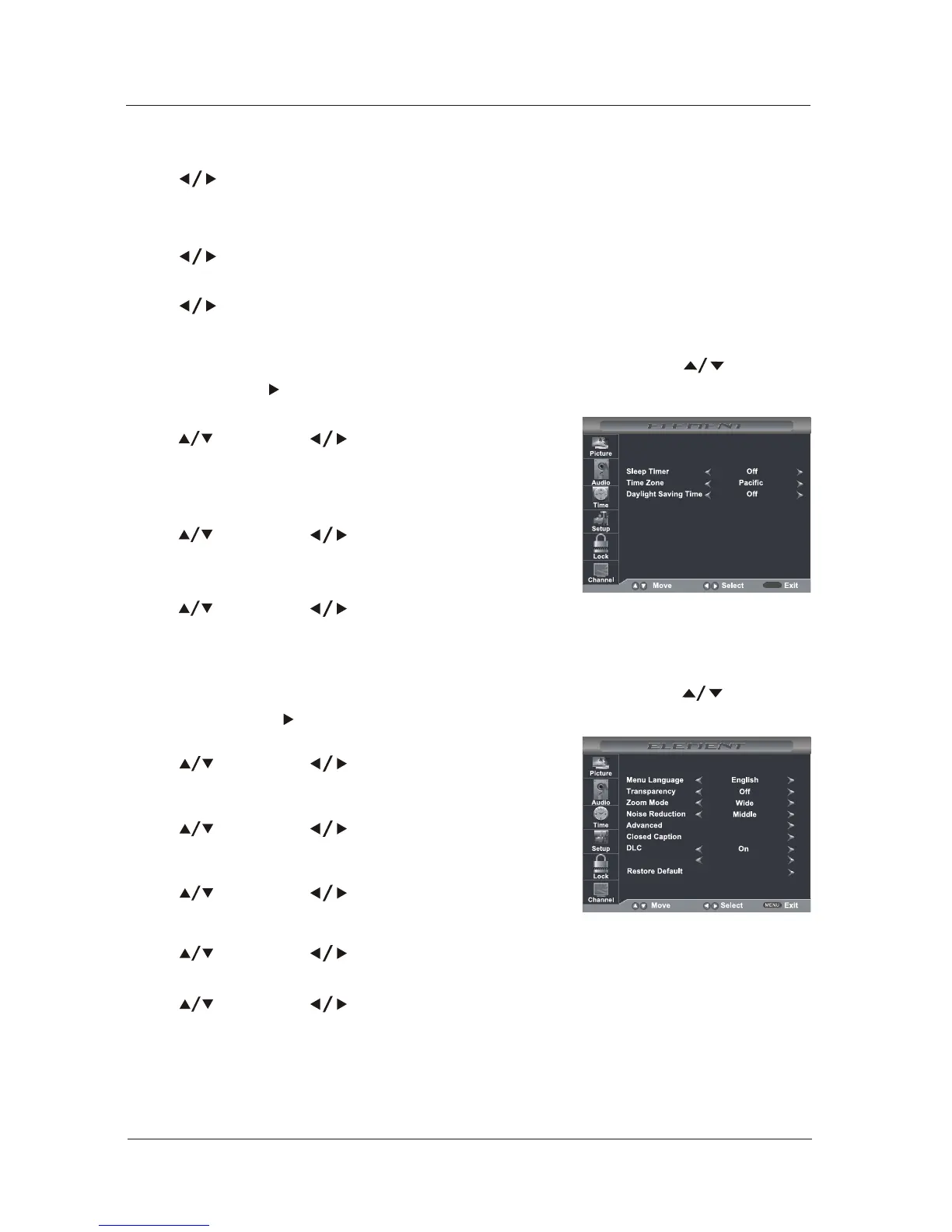
Time Menu Options
Press and then use to set up the sleep timer among:
Off, 5Min, 10Min, 15Min, 30Min, 45Min, 60Min, 90Min, 120Min,
180Min or 240Min.
Time Zone
Press and then use to set up the time zone among:
Pacific, Alaska, Hawaii, Eastern, Central or Mountain.
Daylight Saving Time
Press and then use to set up the daylight saving time
On or Off.
Press the MENU at the side of the panel or on the remote control and then use to move the
TIME menu, press or OK to enter (see picture below).
Sleep Timer
MENU
18
MENU OPERATION
Setup Menu Options
Press the MENU at the side of the panel or on the remote control and then use to move the
SETUP menu, press or OK to enter (see picture below).
Menu Language
Press and then use to select menu language
among: English, Français or Español.
Transparency
Press and then use to turn on or off the
transparency function.
Zoom Mode
Press and then use to select the zoom mode
among: Wide, Zoom, Cinema or Normal.
Noise Reduction
Press and then use to select the noise reduction mode among: Weak, Middle, Strong, Off.
Press and then use to select the advanced options between H-POS, V-POS, Clock, Phase,
Auto (only used in VGA source mode.)
Advanced



 To Next Page