20
MENU OPERATION
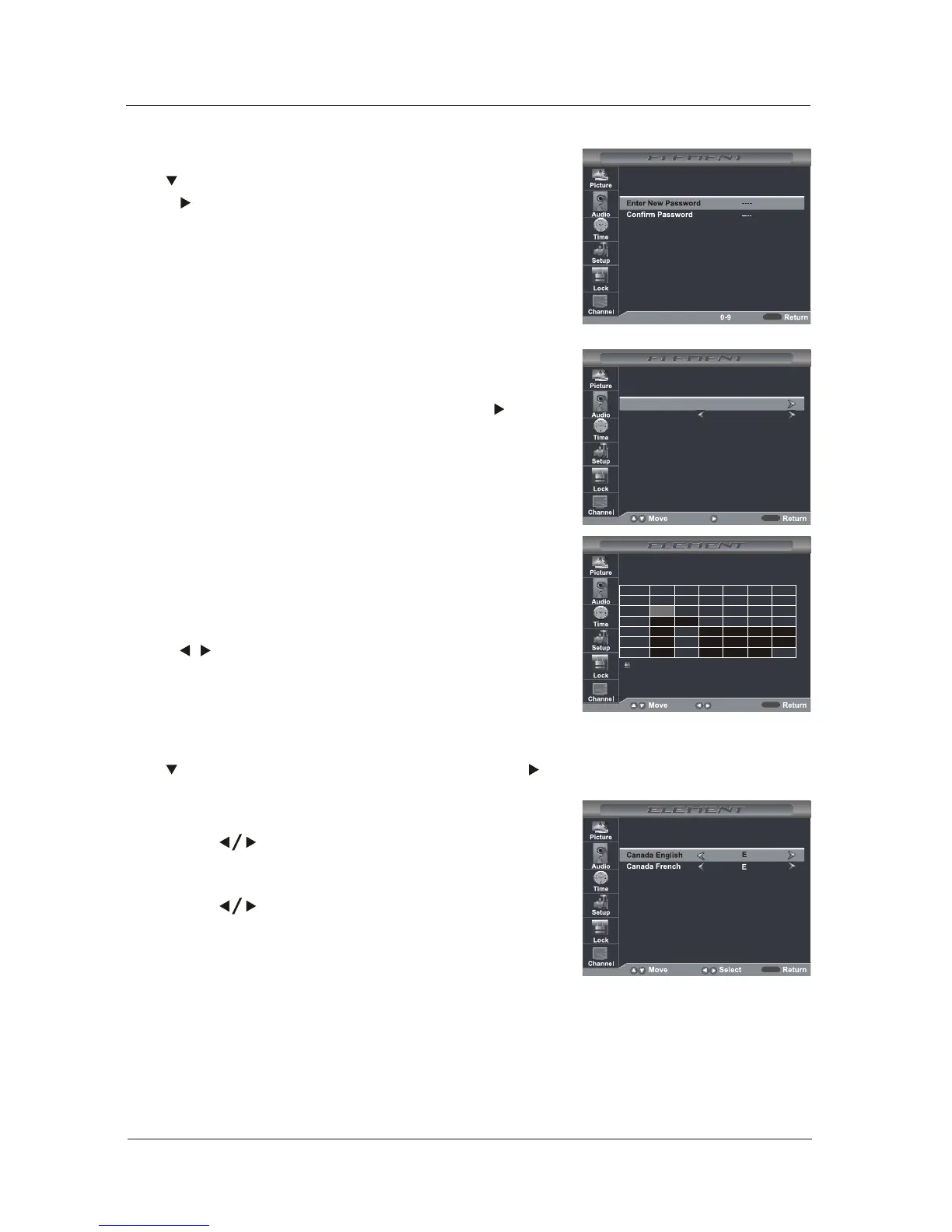
Canada English
Use buttons to select among: E, C, C8+, G,
PG, 14+ and 18+.
Canada French
Use buttons to select among: E, G, 8ans+,
13ans+, 16ans+ and 18ans+
RRT Setting
Rating Region Table setting.
Reset RRT
Allows you to reset the RRT setting.
Clear Lock
Clear lock of RRT.
MENU
Canada
Use button to highlight the “Canada” item, then press button to enter into the
following menu.
Change Password
Use button to select the “Change Password” item, then
press button to enter into the following menu. Input the
new 4-digital password and input it again to confirm.
System Lock
Allows you to turn on or off the system lock. If you turn off the
system lock, then the following items(US, Canada, RRT
Setting and Reset RRT) will unable to use.
MENU
MENU
TVTV
MPAAMPAA
N/AN/A
MENU
TV-YTV-Y
ALLALL FVFV VV
SS
LL DD
TV-Y7TV-Y7
TV-GTV-G
TV-PGTV-PG
TV-14TV-14
TV-MATV-MA
TV RATINGTV RATING
Press OK to Lock or UnlockPress OK to Lock or Unlock
: Lock: Lock
Press ▼/▲ button to select TV Rating, then press OK button
to adjust. A sub-menu will appear as below.
TV(Rating)
US
Use button to highlight the “US”item, then press button
to enter into the following menu.
▼
Press / button to select Rating.
MPAA(Rating)
NextNext
NextNext



 To Next Page