4.6 Paper Roll Installation
4.6.1 Confirmation of Printing Paper
After connecting the power adapter and interface cable, you can install media for
printing. Confirm the type of paper used by the printer before printing. The default
paper type is continuous paper. If you need to set the marked paper, please contact
your dealer or manufacturer.
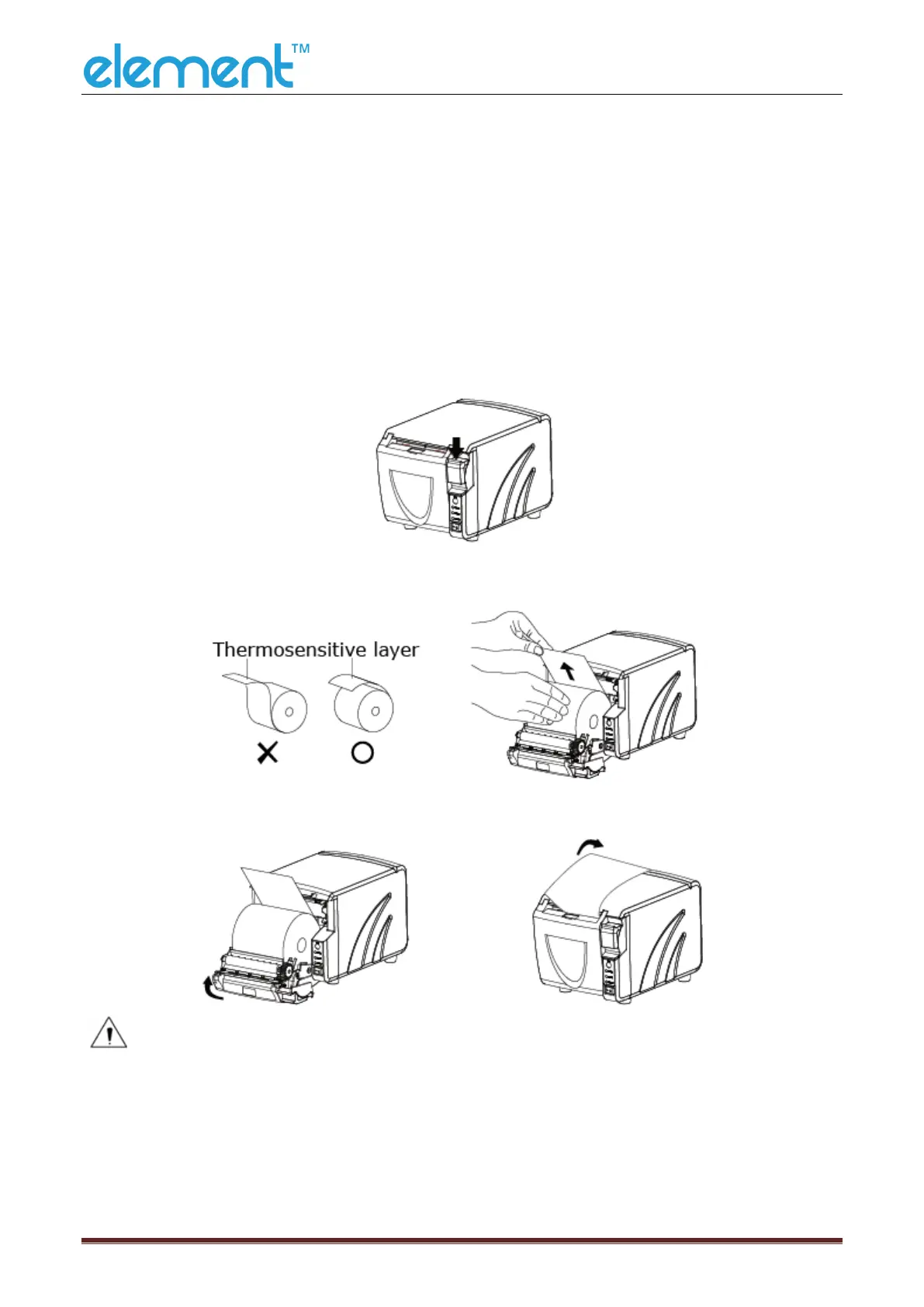
4.6.2 Installation/Change Paper
1) Turn off printer power supply;
2) Press the cover open button to open the front cover of printer;
3) Remove the used roll paper core, if any;
4) In the correct direction of the roll paper, install the roll paper;
5) Pull out some roll paper, and close the front cove;
6) Tear off the roll paper.
Notes:
► According to the paper size to adjust the paper guide;
► Make sure the paper inside is at tight status, or it will issue paper jam or
others obstacle.



 To Next Page