EasyManua.ls Logo

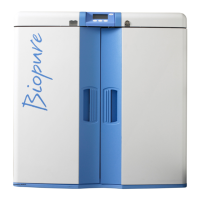
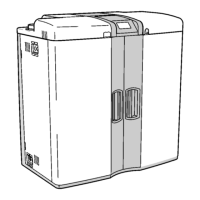
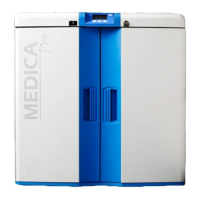
ELGA CENTRA R200 US - User Manual

Default Icon
62 pages
Print Icon
To Next Page IconTo Next Page
Loading...
CENTRA S200/R200 - US
Operator Manual

Questions and Answers

  • C
    Christopher BarrettAug 20, 2025
    What to do if the ELGA Laboratory Equipment shows alarm and flashing Resistivity value?
    • V
      vincent07Aug 20, 2025
      First, mute the alarm. Then, verify that the alarm set value is correct, referring to Section 5.2 - System preferences. Ensure the cylinder is correctly placed in line and not isolated from the distribution loop. If necessary, replace the ion-exchange cylinder, following steps 9 and 10 in Section 5 - Installation / replacement of ion-exchange cylinder.
  • P
    pottercharlesAug 22, 2025
    What to do if the ELGA CENTRA R200 US shows a high water temperature alarm?
    • A
      aaron93Aug 22, 2025
      First, check that the correct alarm point is set, referring to section 5, steps 9 and 10 - Alarm Settings. Verify that the feedwater temperature hasn't suddenly increased. Dispense some water from the distribution loop to allow colder water to enter the unit. Recheck the feedwater temperature.
  • A
    Alice JenkinsAug 25, 2025
    What to do if the ELGA CENTRA R200 US Laboratory Equipment shows a reservoir low level alarm?
    • V
      Vicki FletcherAug 25, 2025
      Verify that the RO system is running. Note that RO production is affected by water temperature - See RO performance, section 3.4 Flowrate vs. temperature. Check if the water demand matches the water production.
  • D
    David BryantAug 26, 2025
    Why is the ELGA CENTRA R200 US Laboratory Equipment unit noise level greater than specified?
    • R
      Richard BlackAug 26, 2025
      Open the front door and secure the pipework to prevent vibration. Check that air isn't being drawn into the recirculation loop.
  • N
    Nathaniel JamesAug 27, 2025
    What to do if the ELGA CENTRA R200 US Laboratory Equipment pumps are not running but power is on?
    • A
      Angela JonesAug 27, 2025
      Check the thermal overloads in the electrical enclosure and reset them by pressing.
  • J
    jonathanbennettAug 29, 2025
    What to do if the ELGA CENTRA R200 US Laboratory Equipment shows a low feed pressure alarm?
    • C
      Christopher BurkeAug 29, 2025
      Mute the alarm and check the feed pressure into the unit, ensuring it is greater than 2 bar at 20l/min. Press the restart button for the RO.
  • J
    Jeremy WarrenAug 31, 2025
    What to do if the ELGA CENTRA R200 US Laboratory Equipment shows a pre-treatment filter change reminder alarm?
    • K
      Kathleen RodriguezAug 31, 2025
      Mute the alarm and replace the filter. See section 9.2 - Replacing the pre-treatment filter.
  • B
    Bobby FullerSep 2, 2025
    What to do if the ELGA CENTRA R200 US shows a 0.2µm in line filter change reminder alarm?
    • E
      Erin DavisSep 2, 2025
      Mute the alarm and replace the filter. See section 9.3 - Replacing the 0.2µm in line filter.
  • A
    Amanda BaileySep 4, 2025
    What to do if the ELGA CENTRA R200 US Laboratory Equipment shows a sanitization reminder alarm?
    • M
      martinezjamesSep 4, 2025
      Mute the alarm and initiate the Sanitization Procedure. See Section 10 - Sanitization Procedure.
  • D
    David PierceSep 6, 2025
    What to do if the ELGA CENTRA R200 US shows a reservoir level disconnect fault alarm?
    • D
      Deborah GriffinSep 6, 2025
      Mute the alarm. Make sure the control lead from the reservoir is properly connected.

Summary

Health and Safety Notes

Electrical Safety Precautions

Emphasizes isolating electrical supply before maintenance and safe positioning of the power supply.

Pressure Safety Guidelines

Advises isolating water supply and releasing residual pressure before working on the unit.

Sanitization Chemical Safety

Provides guidance on Minncare Cold Sterilant safety, handling, and disposal requirements.

Health and Safety Regulations

Product and Process Details

Installation Procedures and Precautions

CENTRA Connection Procedures

System Preferences Setup

5.2 System Preferences Setup

Guides the user through the initial setup of system preferences for optimal operation.

System Preferences - Configuration

System Preferences - Alarm Settings

System Preferences - Operation Modes

5.3 Setting Up Replacement Timers

6. COMMISSIONING

6.1 Initial Start Up Procedures

Outlines the initial start-up steps including filter installation, electrical supply, and water supply.

Commissioning Steps

Distribution Loop Pressure Adjustment

7. OPERATION

9. MAINTENANCE

9.1 Replacing Composite Vent Filter; Air Filter

Provides step-by-step instructions for replacing the composite vent filter.

Maintenance Procedures

9.2 Replacing Pre-treatment Filter LC159

Details the process for replacing the pre-treatment filter to maintain system performance.

Filter Replacement

9.3 Replacing 0.2µm In-Line Filter

Provides instructions for replacing the 0.2µm in-line filter essential for bacterial specification.

Component Replacement

9.4 Replacing UV Lamp LC158

Details the procedure for replacing the UV lamp, including safety warnings.

Ion-Exchange Cylinder Maintenance

9.5 Installation; Replacement of Ion-Exchange Cylinder

Guides on installing or replacing ion-exchange cylinders and ensuring proper system operation.

10. SANITIZATION PROCEDURES

10.2 RO Sanitization (Process Off)

Details the RO sanitization procedure when the unit is in process off mode.

Sanitization Process Details

10.3 RO Sanitization (Process On)

Details the RO sanitization procedure when the unit is in process on mode.

10.4 Recirculation Sanitization

Provides instructions for performing recirculation sanitization of the system.

11. TROUBLE SHOOTING

Common Problems and Solutions

Highlights common problems that may occur with the CENTRA and provides rectification actions.

Control Panel Information

13.1 Alarm Conditions and Causes

Details common alarm conditions, their causes, and possible actions to resolve them.

Replacement Timers and Reminders

ELGA CENTRA R200 US Specifications

General IconGeneral
Bacteria< 1 CFU/mL
Power Supply100-240V AC, 50/60 Hz
Make-up water sourcePotable water feed
Feed Water RequirementsPotable tap water; Pressure: 1-5 bar; Temperature: 5-35°C
Storage ReservoirIntegrated
Operating weight180 kg
Weight180 kg (operating)
CertificationsCE

Related product manuals