7
5 Operating
Place the test tubes in the rotor adapters. Please insert the test tubes symmetrically (on
the opposite sides). To protect the centrifuge against imbalance, fill in the test tubes up to the
same weight. Each test tube should be counterbalanced by another test tube. The total
imbalance of test tubes should not exceed allowed value (refer to pages 16, 17). This will
reduce the wear on mechanical parts of centrifuge.
For safety reasons the centrifuge lid automatically locks when closed and unlocks at the end
of centrifugation cycle. Lid can be unlocked with ''OPEN'' button but only with stand still rotor.
Settings and adjustments of the parameters of centrifuge must be made before the start of
centrifugation cycle with opened or closed lid.
Setting centrifugation parameters
Settings and adjustments of the parameters of centrifuge must be made before the start of
centrifugation cycle, with opened or closed lid.
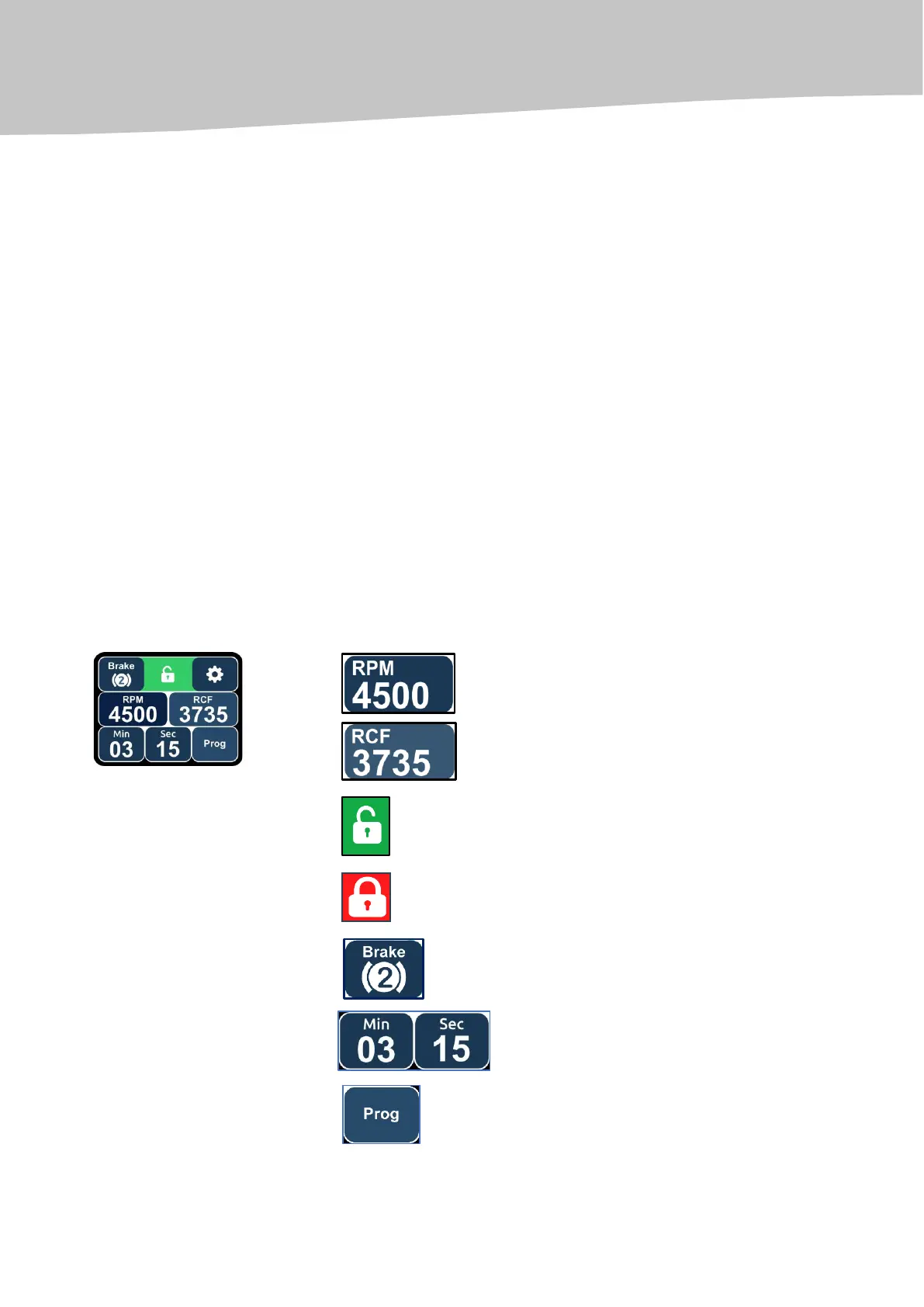
Setting of basic parameters of centrifugation (speed, time, braking level) is performed using
the TOUCHSCREEN DISPLAY STANDARD MENU.
To set additional parameters of the centrifuge and configure the programming mode, use the
ADDITIONAL SETTINGS MENU.
Rotor rotation speed (revolutions per minute - RPM)
Relative Centrifugal Force, RCF (G)
The centrifuge lid is open
The centrifuge lid is locked
Braking levels (from 1 to 10)
Rotation time (minutes, seconds):
Programming mode


 To Next Page