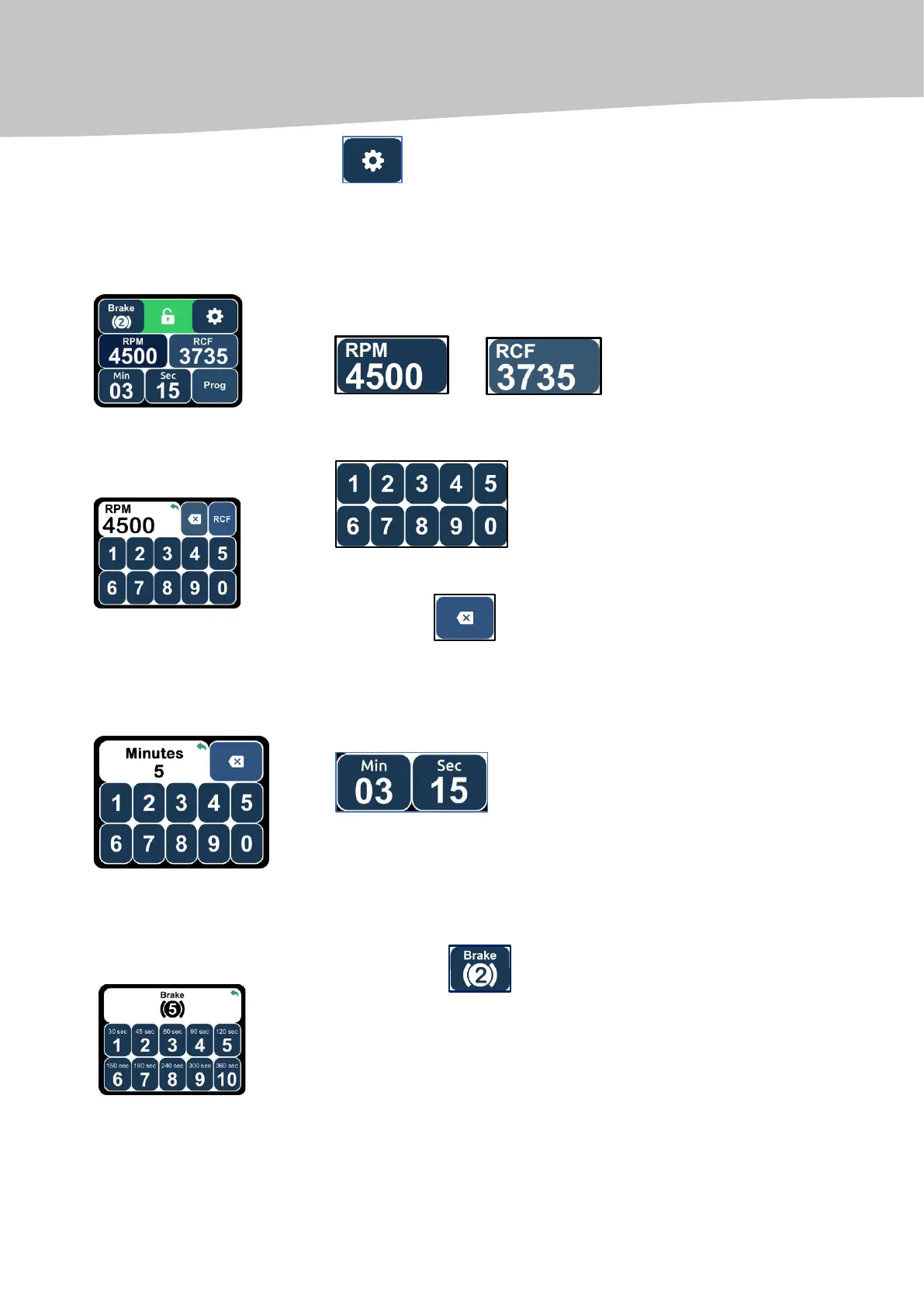
SETTING THE ROTATIONAL SPEED OF THE ROTOR
By pressing on the touchscreen display, select the necessary unit of
measurement (RPM or RCF):
or
The selected parameter lights on a white background.
Using the numerical keyboard, enter the desired value of the parameter.
To confirm the entered value of the parameter, press again the selected unit
(RPM or RCF) in the upper part of the touchscreen (on a white background).
Using the key , the selected value of the parameter may be adjusted
(beginning from the last sign).
SETTING THE ROTATION TIME
By pressing on the touchscreen display, select the necessary unit of
measurement (minutes, seconds).
Using the numerical keys, enter the desired value of the parameter. To confirm
the entered value of the parameter, press again the selected units (minutes,
seconds) in the upper part of the touchscreen
(on a white background).
SETTING THE BRAKING LEVEL
Click on the key ''Brake'' at the left side of the touchscreen display.
Using the numeric keyboard, select the desired braking level (1 to 10).
The time indicated on the numerical keys means the maximum braking time
at the maximum rotational speed (4500 RPM). To confirm the set value of the
parameter, press again the key ''Brake'' in the upper part of the touchscreen
(on a white background).


 To Next Page