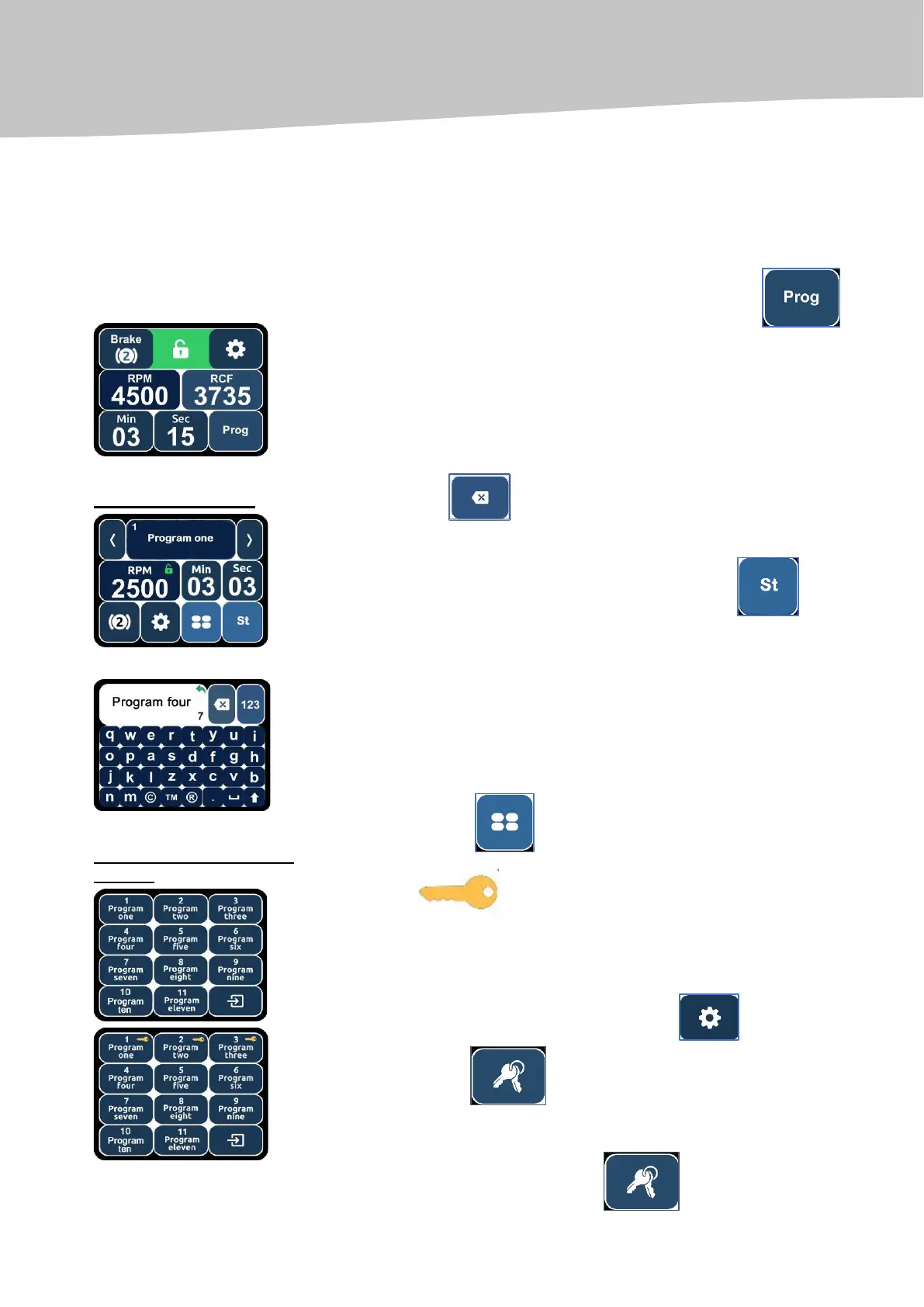
In this mode the user can create and save in the centrifuge’s memory his/her
own centrifugation programs (up to 10 programs set up by the user).
To activate the programming mode, you need to press the key
(see the picture Standard menu).
Using the touchscreen display keys (see the picture Programming mode), you
can set the program number or name, as well as the necessary centrifugation
parameters (centrifugation speed, centrifugation time and braking levels).
To create the name of the program, you need to press the program’s name
key, such as ''program one'';
using the key , delete the unnecessary name and, using the
keyboard, enter the name of the program.
To exit the programming mode, you need to press the key .
By pressing the key , list of programs created by user is displayed.
The symbol indicates user’s program, that is locked for
modification (i.e. changing the program name, RPM, RCF, timer and braking
level is locked).
To block a user created program, press the key (Standard menu)
and press the key (additional settings menu) and press on the
necessary program key for blocking.
To unlock the program, press the key and press on the blocked


 To Next Page