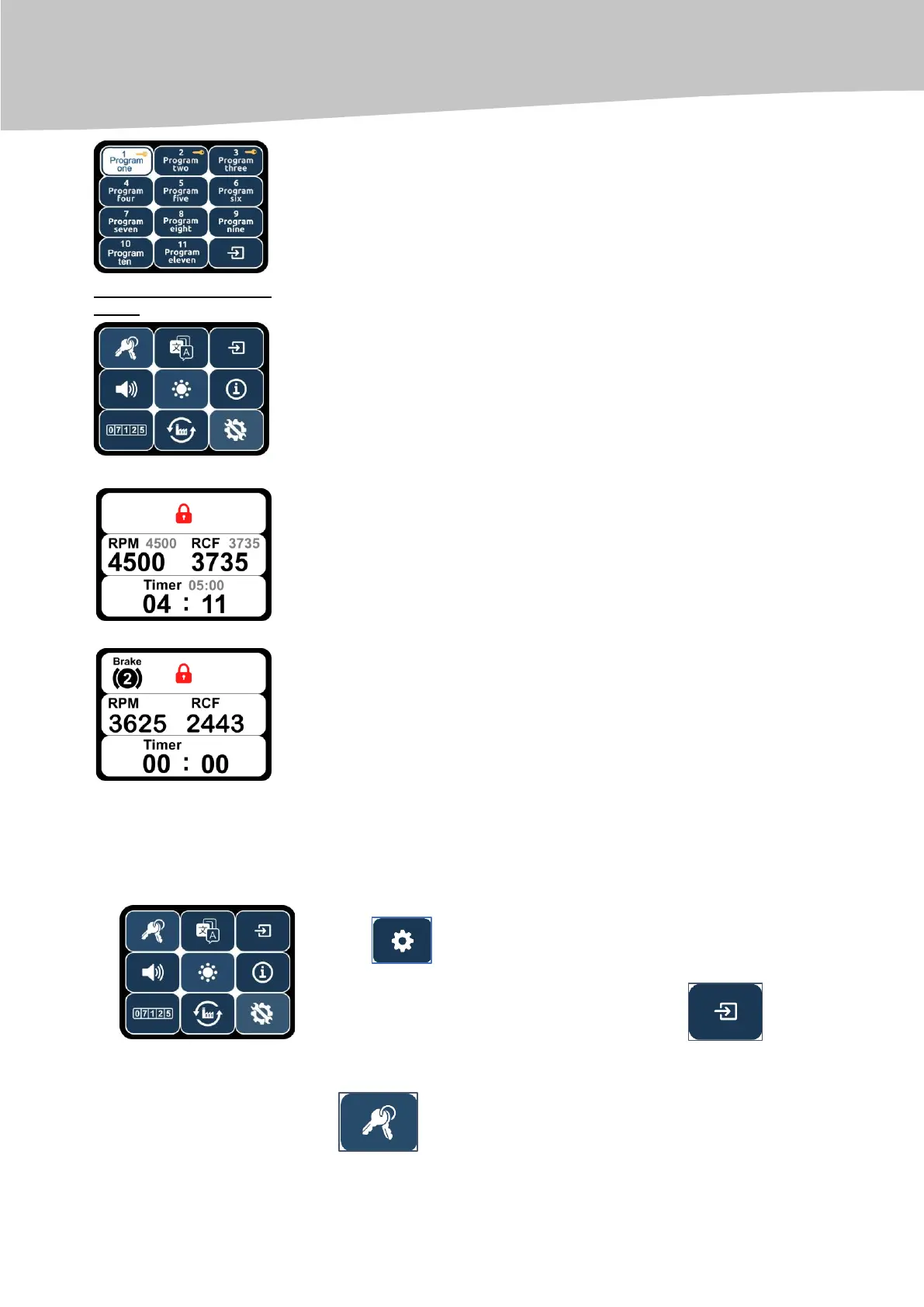
program name in the list of programs.
USING THE BUTTON ''START/STOP'' WILL LAUNCH THE CENTRIFUGATION PROCESS
During the centrifugation process, the set parameter values are reflected on
the upper side of the display. The real parameters (variables) of the
centrifugation process are shown on the lower side of the display.
Using the additional settings Menu, the additional centrifugation parameters are set
SETTING ADDITIONAL PARAMETES FOR CENTRIFUGATION
To enter the additional settings menu, press the additional settings menu
key in the standard menu.
To exit the additional settings menu, press the key .
THE FOLLOWING PARAMETERS CAN BE DISPLAYED AND MODIFIED:
key to lock and unlock user programs;


 To Next Page