EasyManua.ls Logo

Elmo L-12i - User Manual

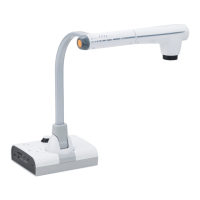
Elmo L-12i
97 pages
Print Icon
To Next Page IconTo Next Page
Loading...
BUNDLED
ITEMS
ADVANCED
OPERATIONS
BASIC
OPERATIONS
TROUBLE
SHOOTING
SPECIFICA-
TIONS
English
Document Camera
INSTRUCTION MANUAL
Please read this instruction manual carefully before
using this product and keep it for future reference.

Table of Contents

Questions and Answers

  • V
    vlittleSep 8, 2025
    What to do if a software error message appears and the UVC image is not displayed on Elmo L-12i Document Camera?
    • C
      Cassidy AvilaSep 8, 2025
      If a software error message appears and the UVC image is not displayed on your Elmo Document Camera, restart the device, reconnect it to the PC, and then start the software. The software may determine an error if the preparation of the image output is taking too much time.
  • F
    Francisco MooreSep 10, 2025
    Why is no image displayed from the USB of my Elmo Document Camera?
    • J
      Jacqueline ReeseSep 10, 2025
      If no image is displayed from the USB on your Elmo Document Camera, the USB mode may be set to Mass Storage, Play mode, Recording mode, or when using the Compare Picture Function or the PIP Function. Switch the USB mode from Mass Storage to Application by referring to the 'Function Setting Menu'. When using Play mode, change the output image to Camera image.
  • K
    Kurt FarmerSep 12, 2025
    What to do if the UVC image or audio fails to be output from Elmo Document Camera?
    • L
      Lawrence AtkinsSep 12, 2025
      If the UVC image or audio fails to be output from your Elmo Document Camera, disconnect the USB cable, restart the software, and then connect the USB cable again.
  • M
    Monique ChandlerSep 14, 2025
    What to do if operation is disabled during calibration of Elmo Document Camera?
    • W
      washingtonchristinaSep 14, 2025
      If operation is disabled during calibration of your Elmo Document Camera, start the calibration again after the image switches to the camera image.
  • R
    robertsonkimberlySep 15, 2025
    Why is the drawing speed of the tablet too slow on Elmo Document Camera?
    • H
      harold67Sep 15, 2025
      The drawing speed of the tablet being too slow on your Elmo Document Camera is not a malfunction.
  • D
    dustin48Sep 18, 2025
    Why some buttons on the remote control and operation panel cannot be used in the USB mode (UVC) of Elmo Document Camera?
    • M
      mary33Sep 18, 2025
      Some buttons on the remote control and operation panel cannot be used when the USB mode is set to UVC and the resolution is set to VGA (640×480).

Elmo L-12i Specifications

General IconGeneral
BrandElmo
ModelL-12i
CategoryDocument Camera
LanguageEnglish

Related product manuals