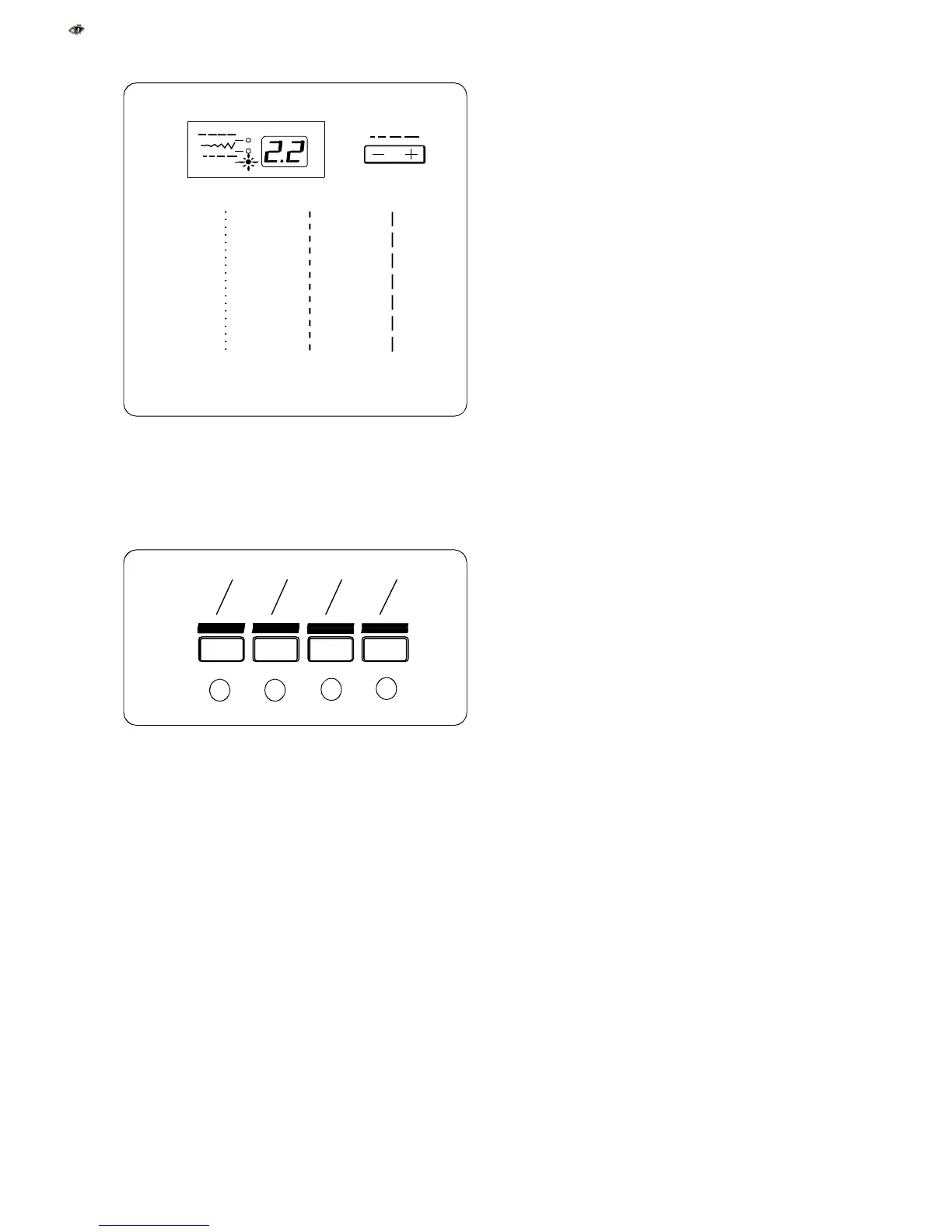
6. Stitch Length Key
Press this key to display pre-programmed stitch
length.
Depending on the stitch selected, stitch length
can be set between 0.0 and 5.0.
To decrease stitch length, press – side of key.
To increase stitch length, press + side of key.
•
The reverse stitch length will not sew any longer
than 2.5 mm (approx. 1/8”).
NOTE:
Fine fabrics should have a stitch length be-
tween 1.5 and 2.5, medium fabrics between 2.0 and
3.0 and heavier fabrics between 3.0 and 4.0.
7. Stitch Selection Keys
a. Press and hold this key to access
stitches 1 – 15.
b. Press and hold this key to access
stitches 16 – 30.
c. Press and hold this key to access
stitches 31 – 45.
d. Press and hold this key to access
stitches 46 – 60.
15
1
a
b
c
d
1.0
2.5
5.0
15
16
30
31
45
46
60
1



 To Next Page