8.5 how to troubleshoot motion sensor alarms
The motion detection LED flashes to indicate that movement has been detected.
However, a motion sensor LED flashing continuously may indicate that the motion sensor is faulty or, if a motion sensor is
not fitted, that the parameter settings are incorrect.
Note:
l The ems controller stays in the ready mode if the motion detection LED is flashing continuously.
For information about the motion sensor enable (Sn) parameter:
l See "motion sensor enable (Sn)" on page 79
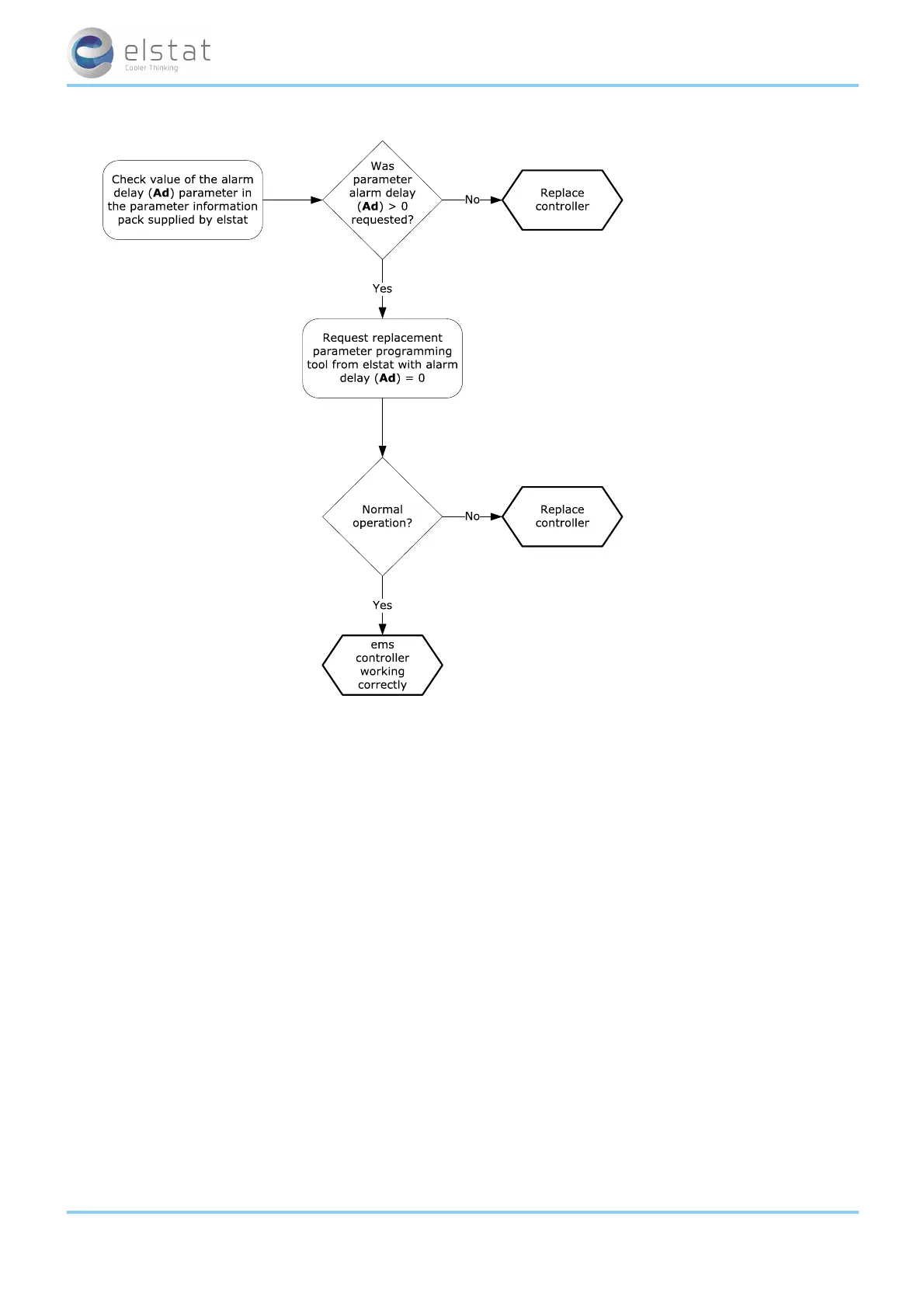
Follow the chart to troubleshoot problems with the motion sensor.
ems55advanced and ems55Radvanced / General Use
49 of 84



 To Next Page