A1120/1140 Programmable Polyphase
Meter Users Manual
_____________________________________________________________________________________
44
Methods of Connection
Modem - Modems are connected to a meter via the RS232 communications port and the Elster
Metering Systems Communications Server. The Communications Serial Port,
Outstation number and Telephone number also require entering.
PAKNET - PAKNET connects a meter via a PAKNET Radio PAD and the RS232 communications port
and the communications server. The Communications Serial Port, Outstation number and PAKNET
PAD number also require entering.
Flag - Flag connection allows communication with a meter via the meter's Optical Port.
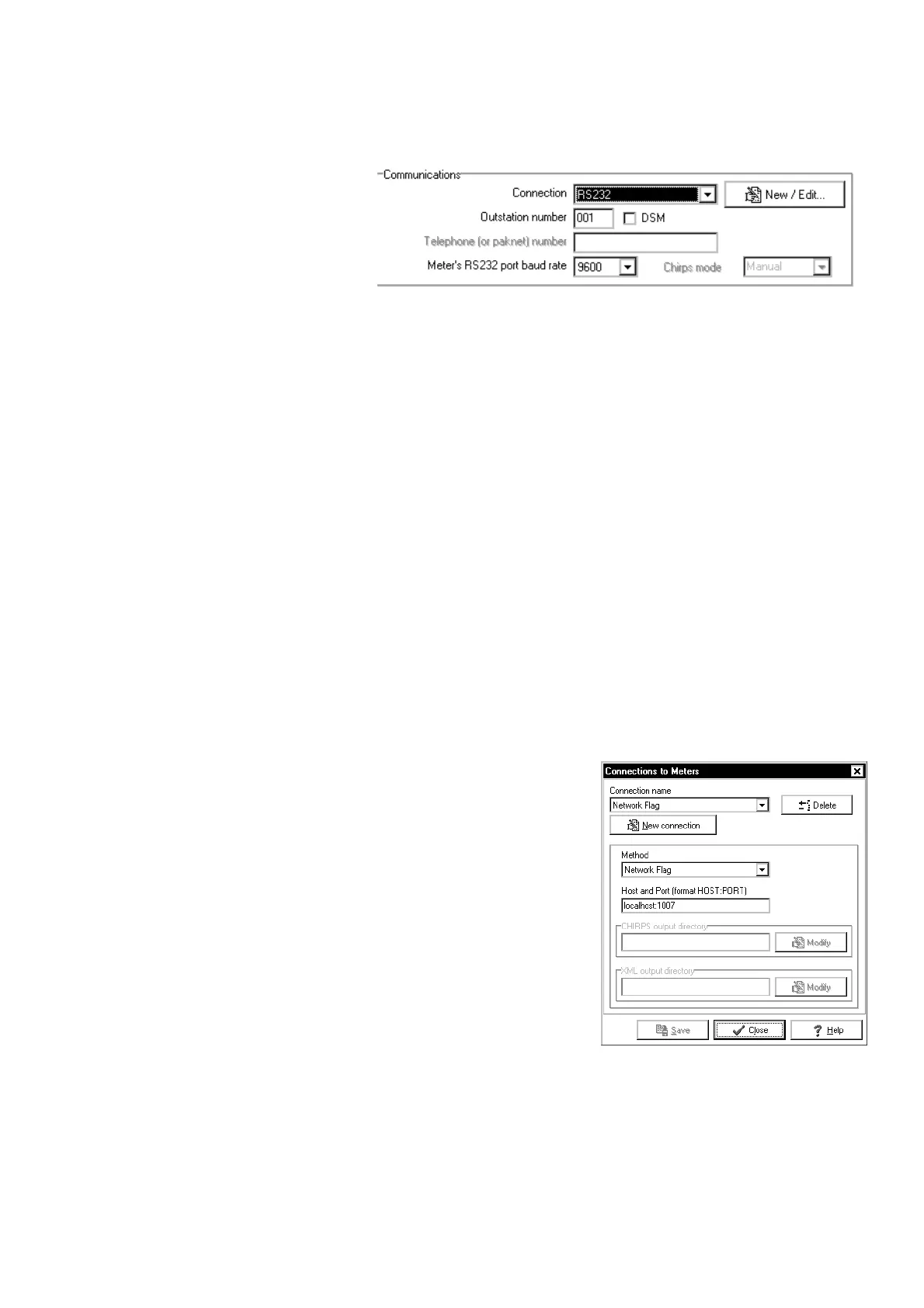
RS232 - RS232 connection allows an A1120/40 to be targeted for communications.
The baud rate is selectable. Data Steam Mode allows fast data readings.
CHIRPS - This option allows CHIRPS files to be created.
To create a CHIRPS file, select CHIRPS, select the Directory where the Chirps files are stored and
press OK
Hand Held Unit - This allows the Master Unit to communicate with a Hand Held Unit via OMS
software.
Proxy Flag - Manufacturing facility only
Network Flag – For connection to Ethernet, select Hardware
and select the meter type, select Communications and
Connection/Network flag then Press New/Edit and enter the
Host and Port address.
The Host port address of the Ethernet module connected to the
meter would be typically 192.168.0.2:14001 (Contact your local
IT Department).
© Elster Metering Ltd - M181 001 3C - 12/2007



 To Next Page