Communications 11
___________________________________________________________________________
Amplicon
Amplicon Amplicon
8 7 6 5 4 3 2 1
8 7 6 5 4 3 2 1 8 7 6 5 4 3 2 1
25-way D type
25-way D type
25-way D type
+VDC 7 4 2 3
+VDC 7 4 2 3
+VDC 7 4 2 3
6 5 4 3 2 1
6 5 4 3 2 1
6 5 4 3 2 1
Two-way R 11 adaptorJ
RJ11
RJ11
White
White
White
Black
Black
Black
Y
e
llow
Yellow
Yellow
Blue
Blue
Blue
Next Meter
1:
2:
3: B
4: A
5: A1
6: B1
7:
8:
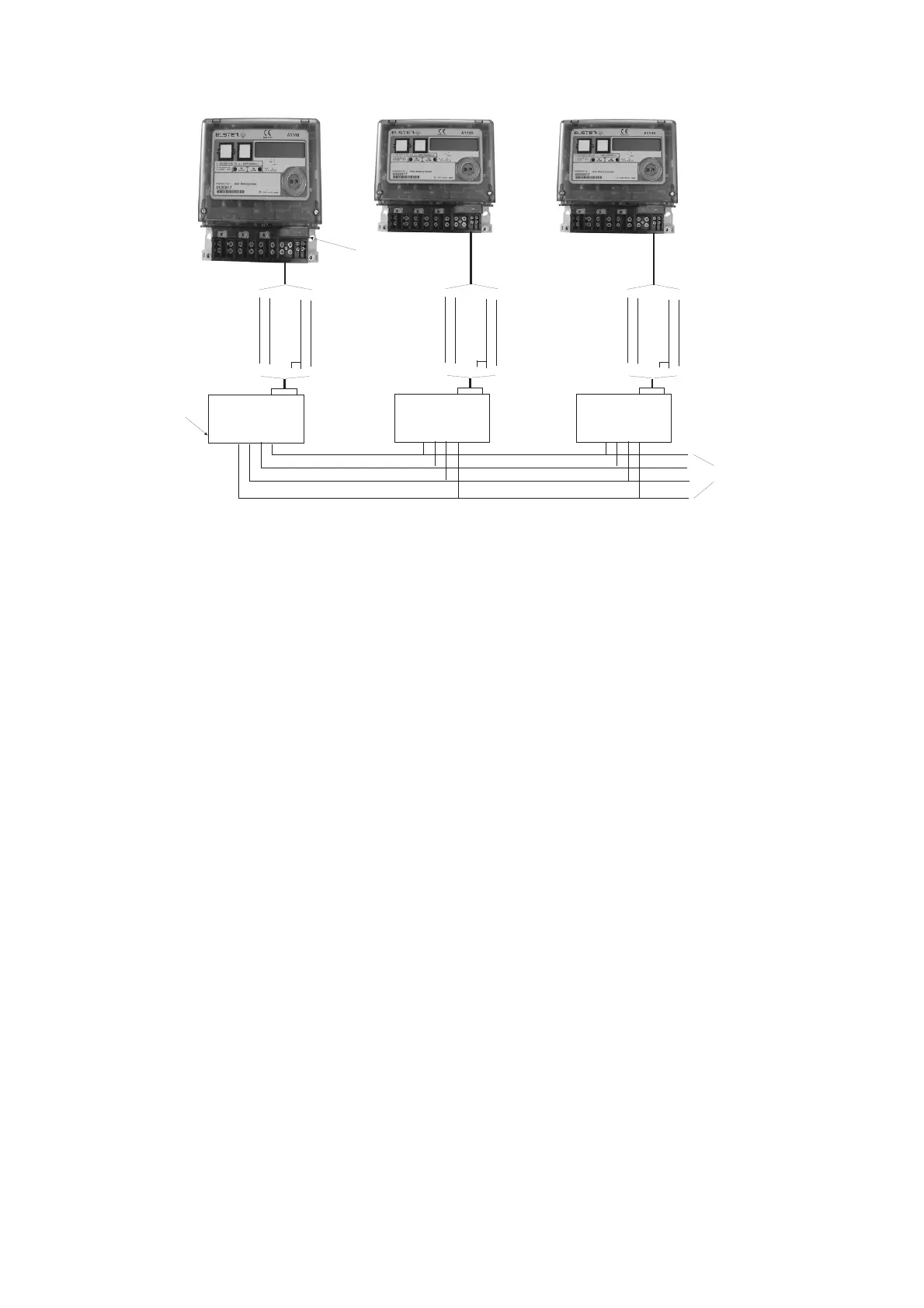
4.2.2 Amplicon Model RS485 Line Driver
The Amplicon line driver converts RS232 transmission to RS485
This configuration allows transmission over longer distances of up to 1.2km.
4.3 Configuring the Technolog Modem
The Technolog modem communications parameters can be configured using an SMS text
message via a mobile phone.
The initial settings will depend on whether the meter is configured for a Standard Data to Read
or Data Stream Mode.
Standard Data to Read Mode Data Stream Mode
Enter Bits Per Second = 9600 Enter Bits Per Second = 9600
Data Bits = 7 Data Bits = 8
Parity = E Parity = None
Stop Bits = 1 Stop Bits = 1
Flow Control = None Flow Control = None
Inserting the SIM
The SIM should be set to the Service Provider settings detailed in Section C2, General
Information (About the SIM).
SIM Card Type
Carefully slide the SIM into the SIM slot


 To Next Page