Communications 9
___________________________________________________________________________
4.1 RS232 Multi-drop Mode
Up to 10 meters can be connected in multi-drop configuration from a single modem.
The maximum transmission distance is 12 metres. Each meter will require a two-way RJ11
adaptor to link to the next meter in the chain.
4.1.1 RS232 Multi-drop Installation Procedure
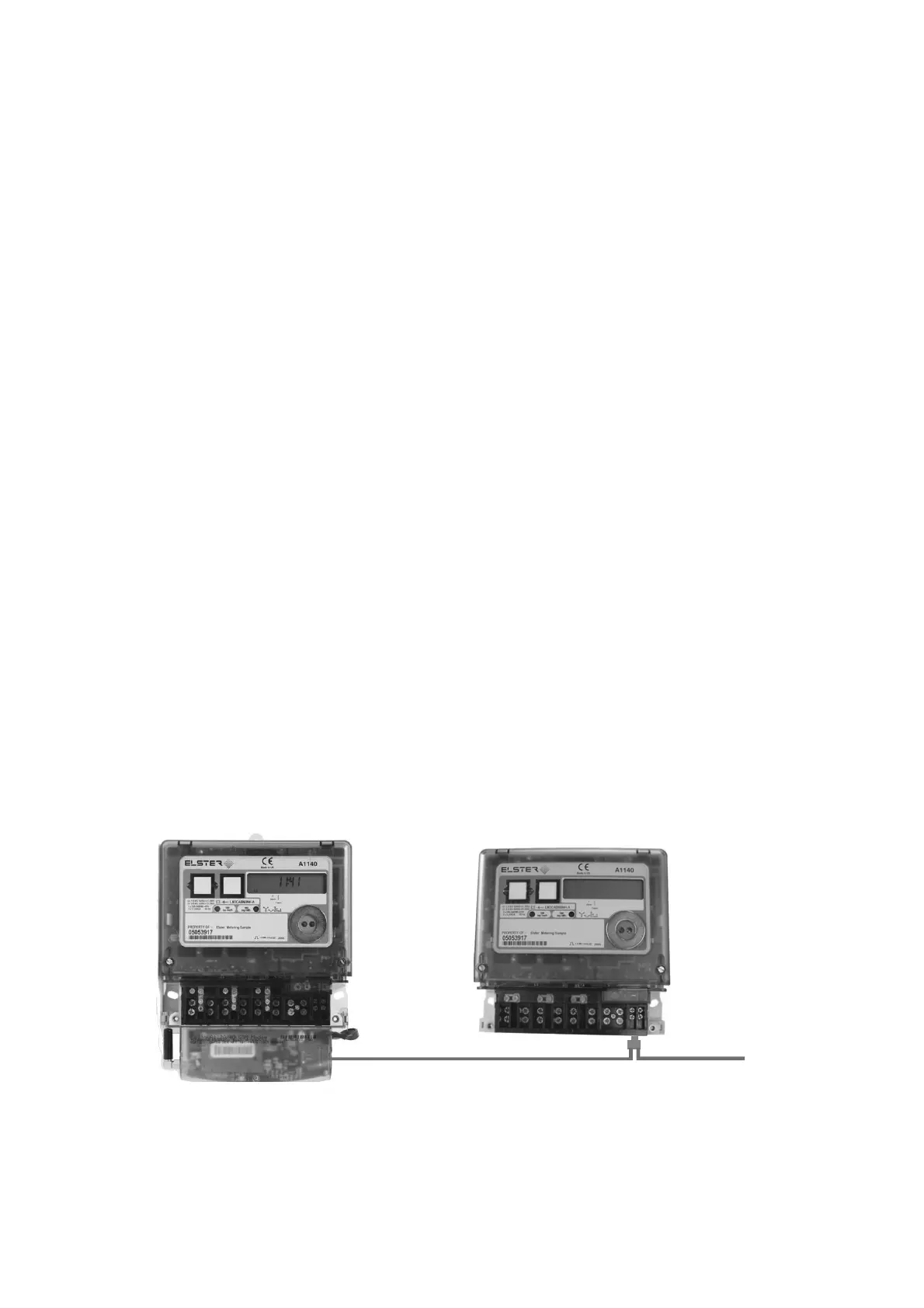
The connection diagram for RS232 multi-drop mode is shown below.
Each meter in the chain will require an RJ11 two-way adaptor.
1. Observe all Safety Warnings, Warnings, Precautions for handling electrostatic
discharge sensitive devices and EMC Guidelines in Section 2
2. Remove the terminal cover from the meters. If the terminal cover plate is not in place,
switch off all supplies to the meter.
3. Connect a two-way RJ11 adaptor to the RJ11 port of the first meter in the multi-drop chain
4. Connect the modem to the first port of the adaptor
5. Connect a Flat Pin Cable to the second port of the RJ11 adaptor
6. Replace the terminal cover and fit appropriate seals
7. Connect a two-way RJ11 adaptor to the RJ11 port of the second meter in the multi-drop
chain
8. Connect the flat pin cable from the first meter to the RJ11 adaptor of the second meter in
the multi-drop chain
9. Connect a Flat Pin Cable to the second port of the RJ11 adaptor
10. Replace the terminal cover and fit appropriate seals
11. Continue as steps 7 to 10 to the next meter
12. When all multi-drop connections are made and all terminal covers are in place, switch on
the supplies
R 11 AdaptorJ
Next Mete
Flat 4-Pin Cable
R 11 AdaptorJ



 To Next Page