28 A1120/40 - Electronic Polyphase Meter
© Elster Metering Limited - M181 001 2G - 5/2010
15 USING THE PUSHBUTTONS
Two pushbuttons can be provided as an option. Their use is as follows:
Default Display Mode
A short press of the display (right pushbutton) enters consumer display mode at the first display in
the autocycle display sequence. Single presses of the display pushbutton allow the user to step
through the consumer display sequence. The display will default to auto cycle mode at a
programmed time after the last press of the consumer display pushbutton.
Utility Display Mode
A short press of the Reset (left pushbutton) enters the utility display mode at the first display in
the utility sequence. Single presses of the display (right pushbutton) allow the user to step
through the utility display sequence. The display will default to auto cycle mode at a programmed
time after the last press of the display pushbutton, or if the Reset pushbutton is presses again.
Billing Reset
A Billing Reset can be initiated by holding both of the pushbuttons pressed for approximately 3
seconds. The billing reset pushbutton can be disabled by using the Power Master Unit.
As a further option, a message that a billing ‘reset’ has been initiated can be displayed.
External Battery Support (Optional)
Pressing either pushbutton allows the displays to be read and optical communications to be
established during power outages (See Appendix D).
16 COMMUNICATIONS
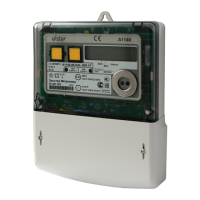
Communications with an A1120/40 can be established via the IEC 62056-21(formerly 1107) port
or via the optional RS232 Port. A symbol can be displayed in the top left corner of the display
which gives an indication of the type of communications currently taking place.
16.1 Optical Communications Port
A bi-directional infra red communications port is provided to allow
reading of all stored data (measurement, diagnostic and current
personality) and programming of "personality" data. Data Stream Mode
(See Section 16.3) allows a fast method of retrieving all data from the
meter.
The port is accessible through the front of the main cover and interfaces
to a hand held unit or computer. In normal operation the port only
operates when the meter is powered from the a.c. supply.
An optional battery (See Section 20) supports the port during power
outages. This facility is limited to reading data only.
The port can operate at baud rates of up to 9600.


 To Next Page