Chapter 3 31
Removing the Processor
IMPORTANT:Before removing a processor from the mainboard, make sure to create a backup file of all
important data.
WARNING:The processor becomes very hot when the system is on. Allow it to cool off first before handling.
1. See “Removing the Side Panel” on page 27.
2. See “Removing the Front Bezel” on page 28.
3. See “Removing the Heat Sink Fan Assembly” on page 29.
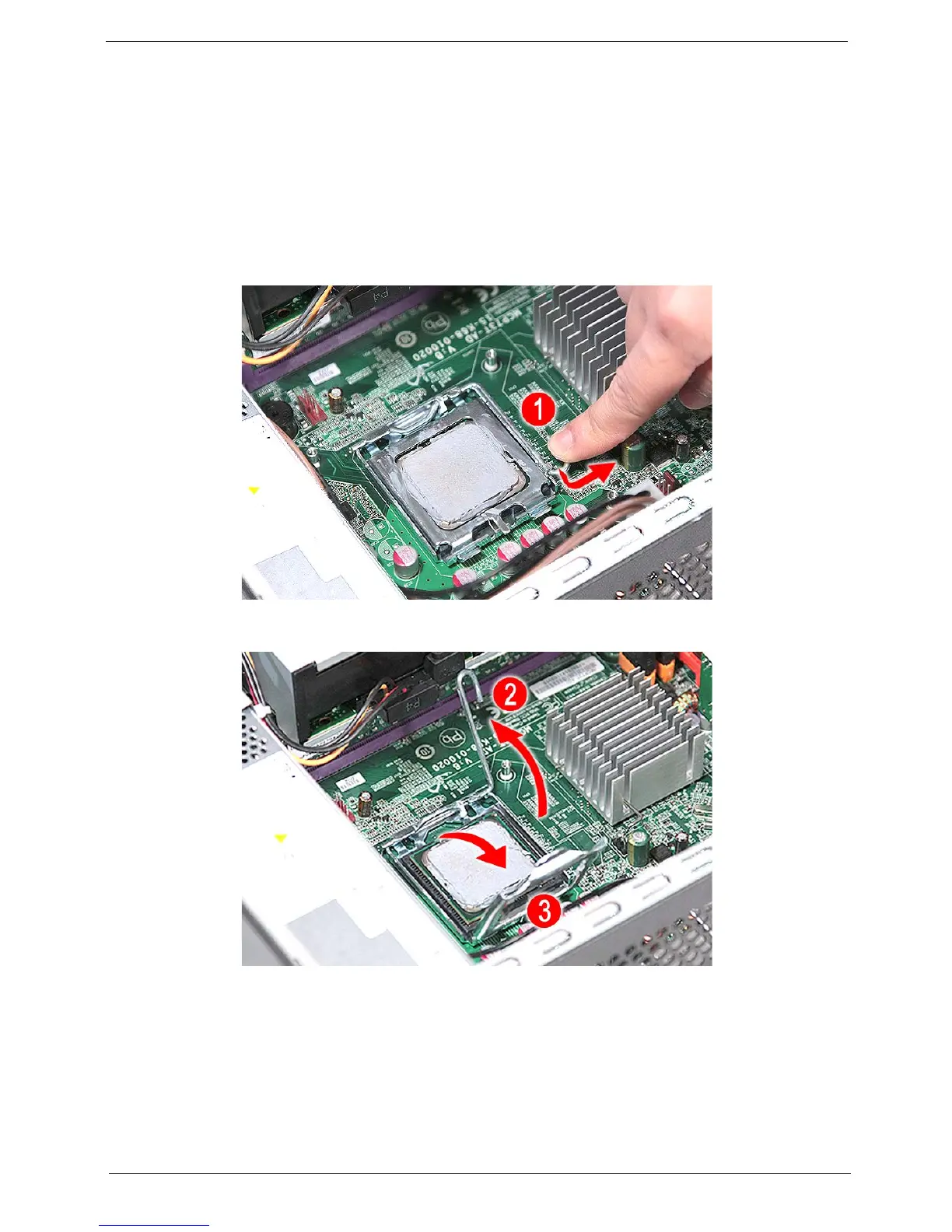
4. Release the load lever (1).
5. Pull the load lever to the fully open, upright position (2) and lift the load plate (3).














 To Next Page