40 Chapter 3
Removing the Memory Modules
IMPORTANT:Before removing any DIMM from the memory board, make sure to create a backup file of all
important data.
1. See “Removing the Side Panel” on page 27.
2. See “Removing the Front Bezel” on page 28.
3. See “Removing the Heat Sink Fan Assembly” on page 29.
4. See “Removing the Processor” on page 31.
5. See “Removing the Optical Drive” on page 33.
6. See “Removing the Hard Disk Drive” on page 35.
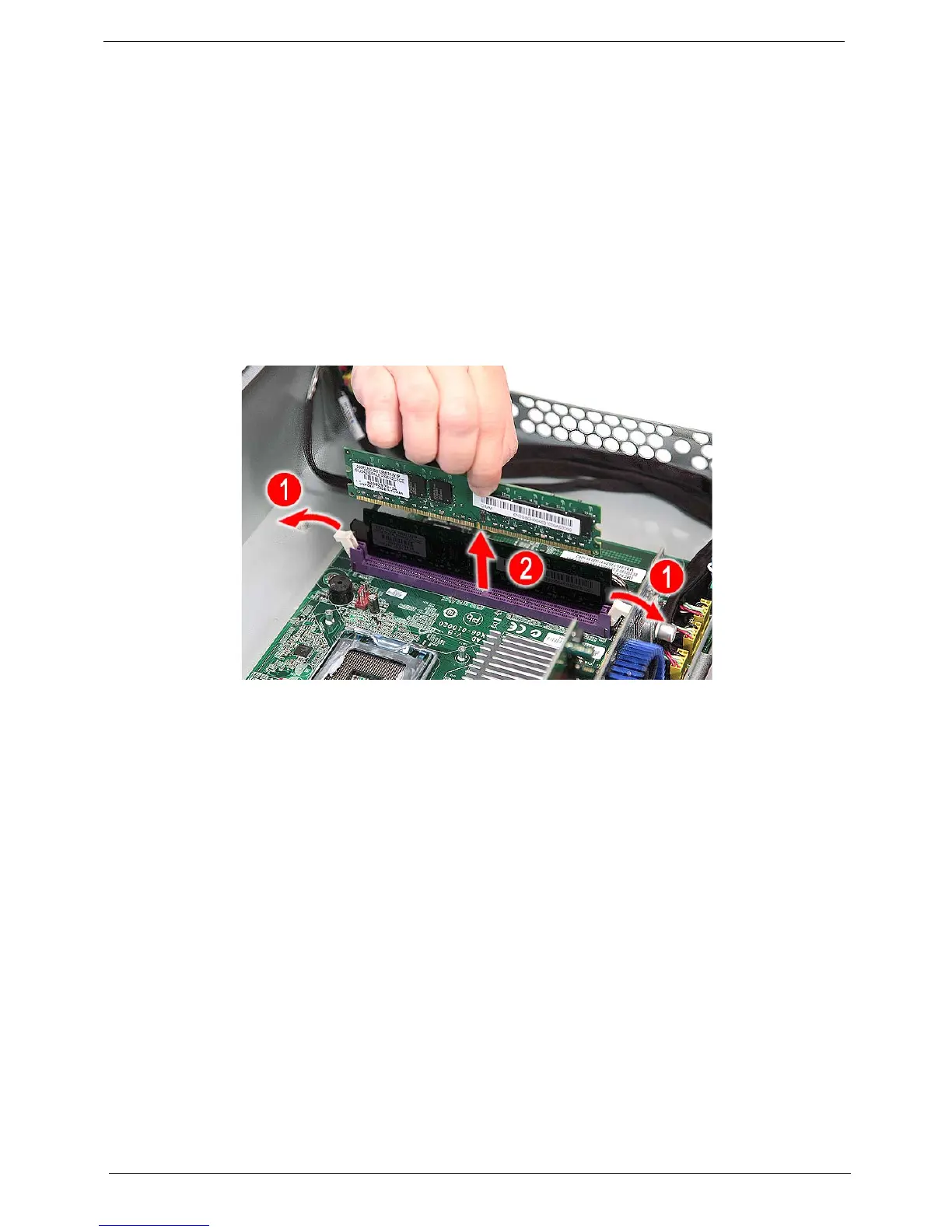
7. Press the holding clips on both sides of the DIMM slot outward to release the DIMM (1).
8. Gently pull the DIMM upward to pull it away from the chassis (2).














 To Next Page