38 Chapter 3
Removing the Power Supply
1. See “Removing the Side Panel” on page 27.
2. See “Removing the Front Bezel” on page 28.
3. See “Removing the Heat Sink Fan Assembly” on page 29.
4. See “Removing the Processor” on page 31.
5. See “Removing the Optical Drive” on page 33.
6. See “Removing the Hard Disk Drive” on page 35.
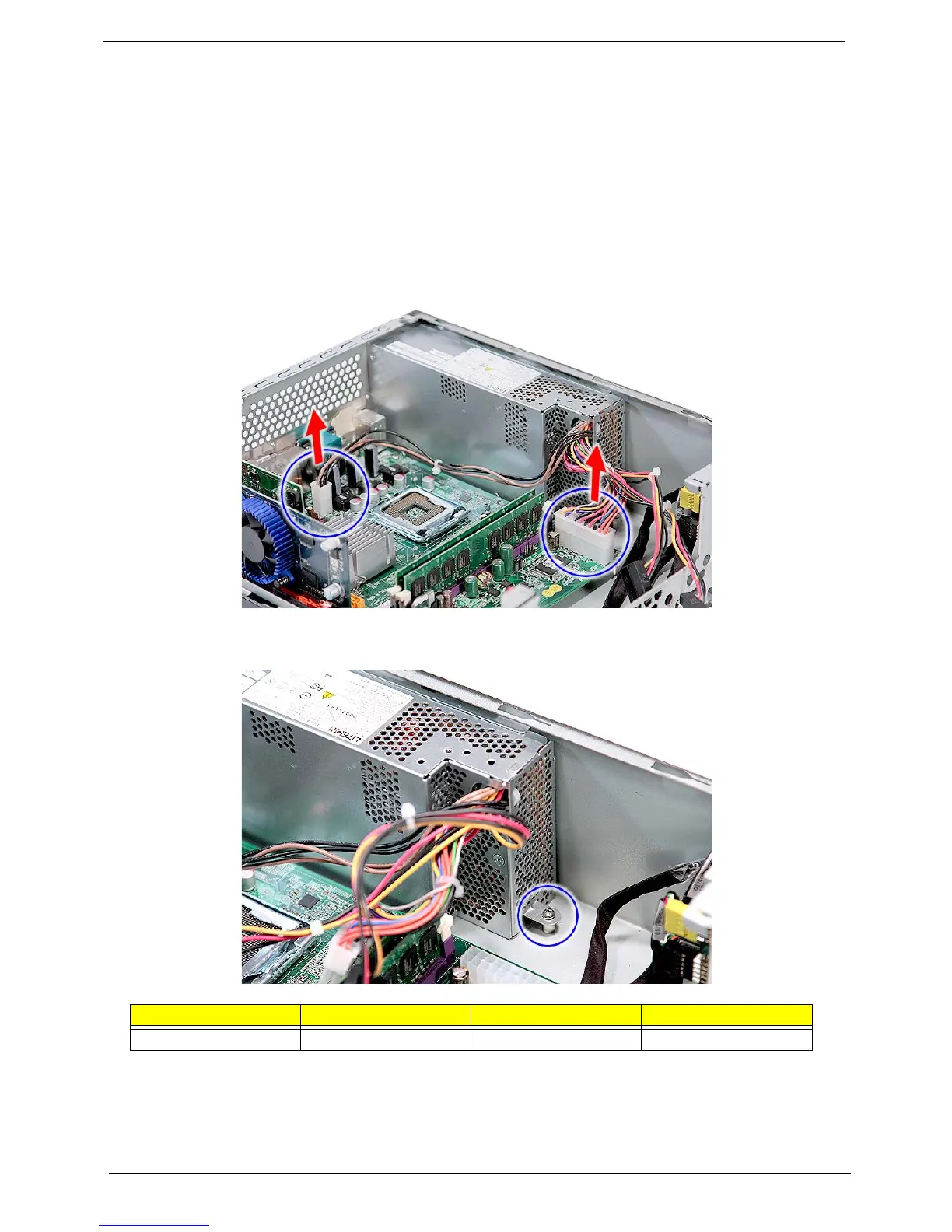
7. Disconnect the 4-pin and 24-pin power supply cables from the mainboard.
8. Remove the screw (C) that secures the power supply to the chassis.
Screw (Quantity) Color Torque Part No.
#6-32 L6 BZN (1) Silver 5.7 to 6.3 kgf-cm 86.00J44.C60














 To Next Page