42 Chapter 3
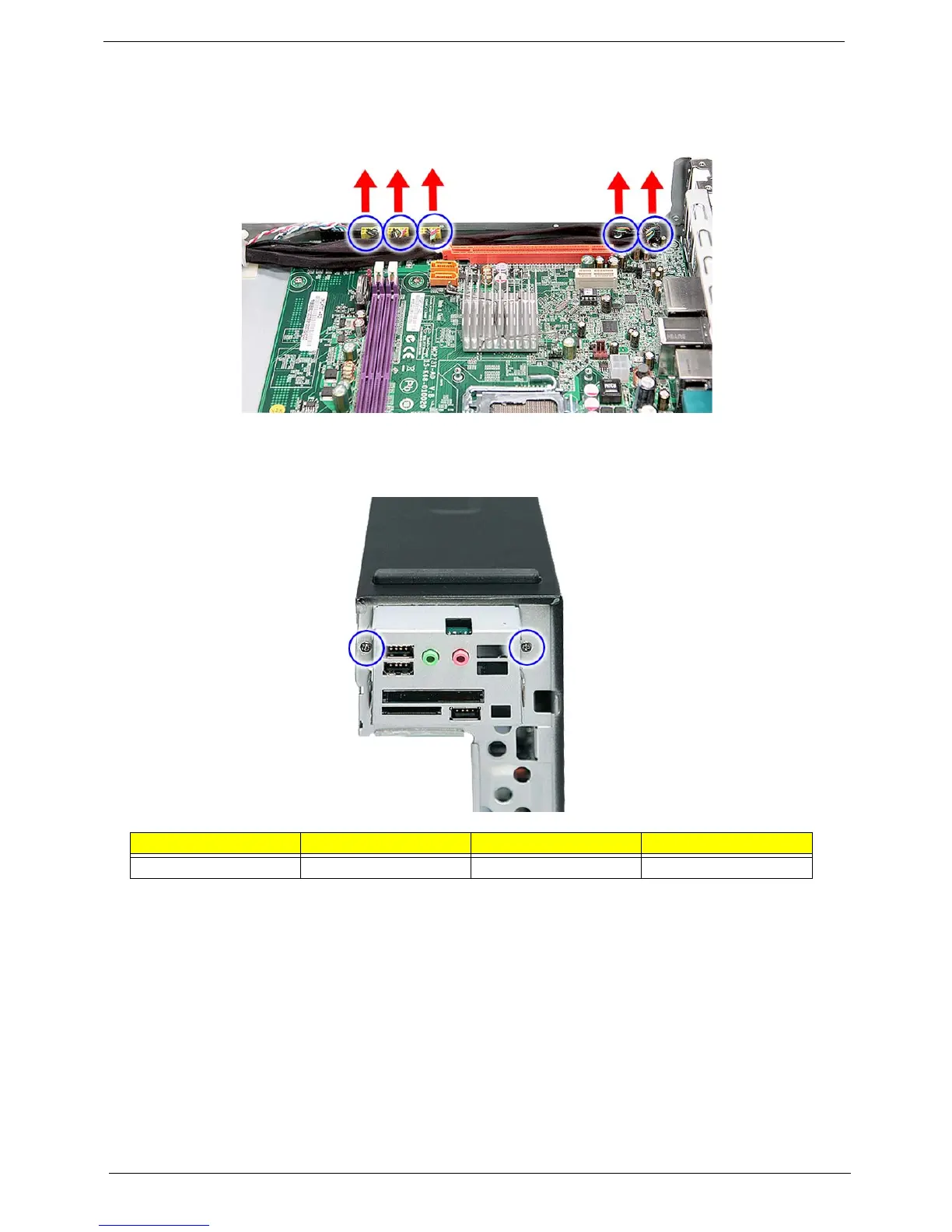
10. Disconnect the other end of the USB, 1394, and audio cables from the mainboard.
11. Remove the front I/O and card reader board bracket.
a. Remove the two screws (D) that secure the bracket to the chassis.
Screw (Quantity) Color Torque Part No.
#6-32*3/16 NI (2) Silver 5.5 to 6.5 kgf-cm 86.5A5B6.012














 To Next Page