iMX RT1062 OEM Developer’s Kit - User’s Guide
Copyright 2019 © Embedded Artists AB
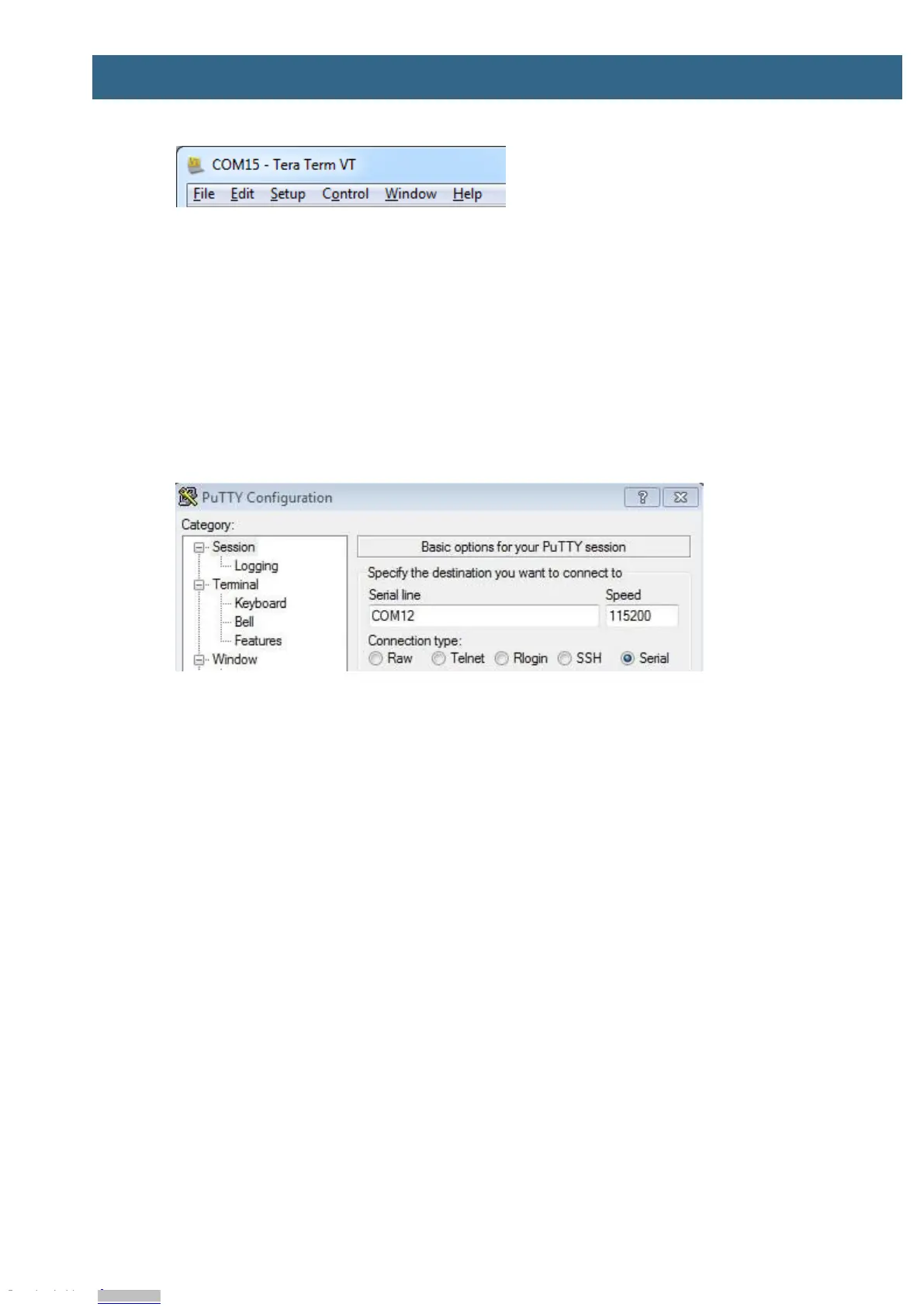
Figure 6 – Tera Term Menu
2.3.2 PuTTY terminal emulation application
Alternatively you can use PuTTY. It is another commonly used terminal emulation application. PuTTY
can be downloaded and installed from the link below.
http://www.chiark.greenend.org.uk/~sgtatham/putty/download.html
Launch PuTTY by either double clicking on the *.exe file you downloaded or from the Start menu,
depending on the type of download you selected.
In the window that launches, select the Serial radio button and enter the COM port number that you
determined earlier. Also enter the baud rate, in this case 115200.
Figure 7 – PuTTY New Session Configuration
Click Open to open the serial connection. Assuming the FTDI cable is connected and you entered the
correct COM port, the terminal window will open. If the configuration is not correct, PuTTY will alert
you.
Downloaded from Arrow.com.Downloaded from Arrow.com.Downloaded from Arrow.com.Downloaded from Arrow.com.Downloaded from Arrow.com.Downloaded from Arrow.com.Downloaded from Arrow.com.Downloaded from Arrow.com.Downloaded from Arrow.com.Downloaded from Arrow.com.


 To Next Page