iMX RT1062 OEM Developer’s Kit - User’s Guide
Copyright 2019 © Embedded Artists AB
recommend using any of the two alternative terminal applications presented in the following sub-
sections.
2.3.1 Tera Term Terminal Emulation Application
We recommend that you use Tera Term which can be downloaded and installed from either of the
links below.
https://ttssh2.osdn.jp/index.html.en
http://sourceforge.jp/projects/ttssh2/releases/
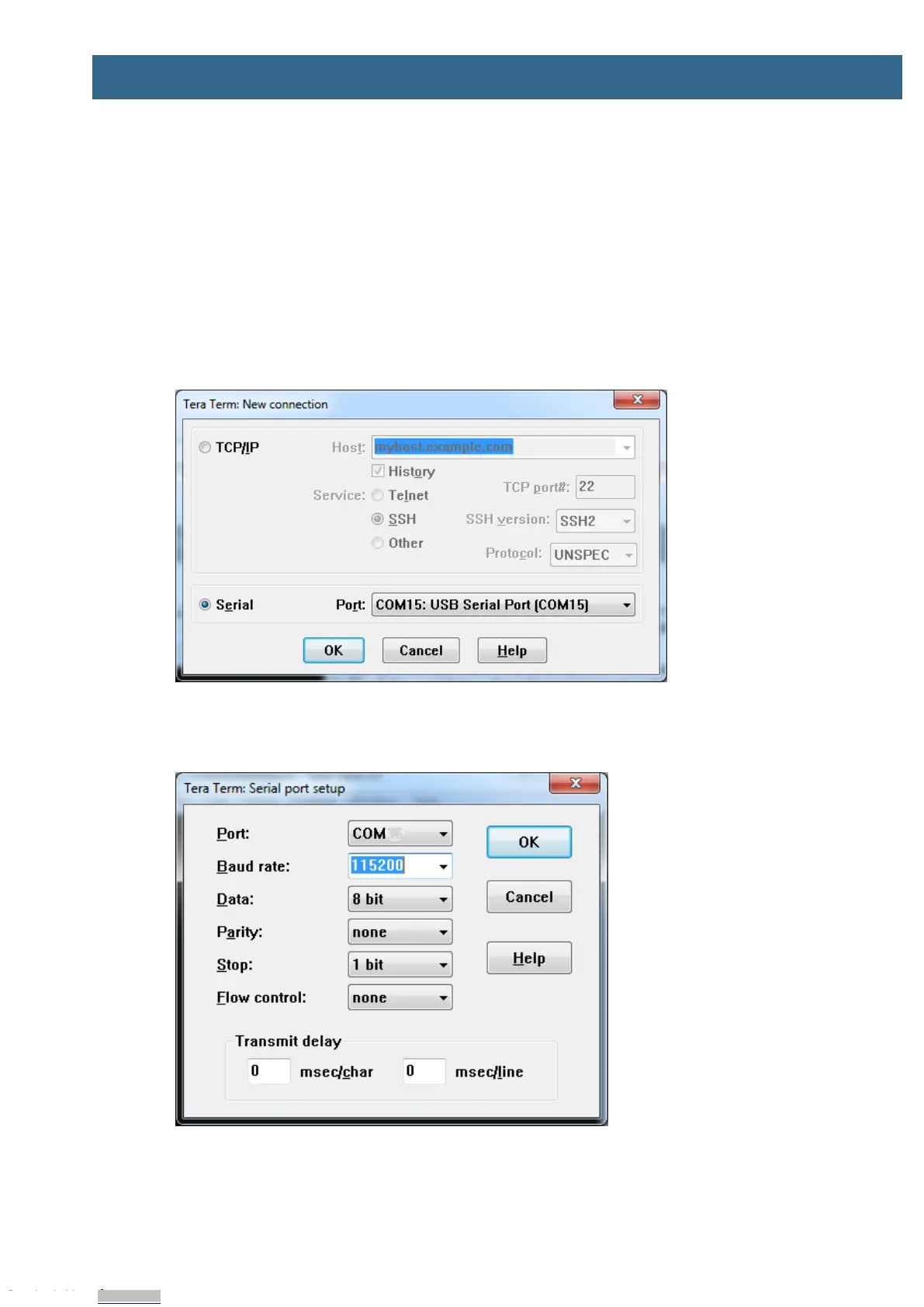
Launch Tera Term. The first time it launches, it will show you the following dialog. Select the serial
option. Assuming the USB cable is connected to the iMX OEM Carrier Board, there should be a COM
port automatically populated in the list.
Figure 4 – Tera Term New Connection Window
Configure the serial port settings (using the COM port number identified earlier) to 115200 baud rate, 8
data bits, no parity and 1 stop bit. To do this, go to Setup Serial Port and change the settings.
Figure 5 – Tera Term Serial Port Setup
Verify that the connection is open. If connected, Tera Term will show something like below in its title
bar.
Downloaded from Arrow.com.Downloaded from Arrow.com.Downloaded from Arrow.com.Downloaded from Arrow.com.Downloaded from Arrow.com.Downloaded from Arrow.com.Downloaded from Arrow.com.Downloaded from Arrow.com.Downloaded from Arrow.com.


 To Next Page