SD32+
System Amplifier System Assembly
5.4. connecting the DC expansion box to the computer (serial
connection)
To connect the DC expansion box to the SD32+ system using the serial connection:
1. Ensure that the computer is off.
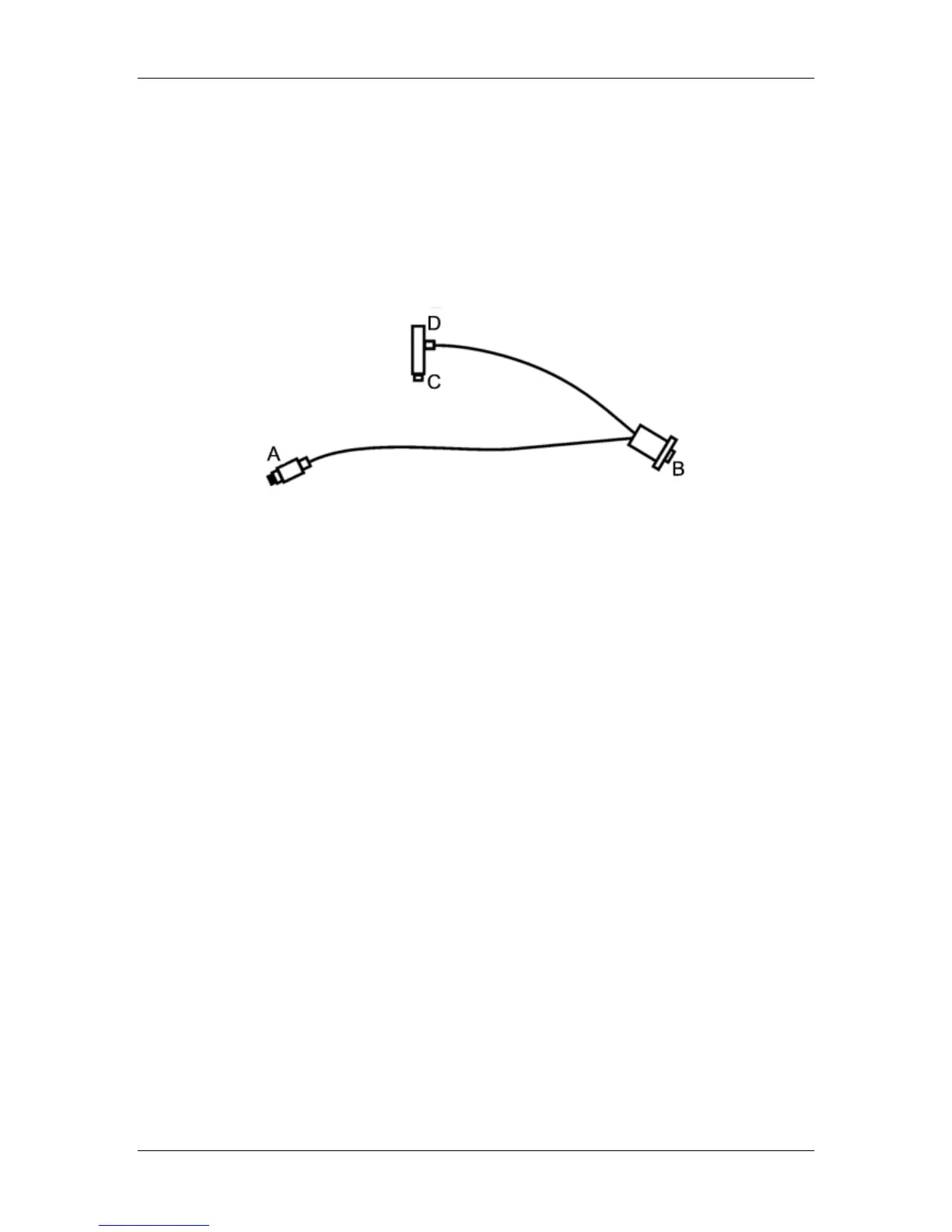
2. Insert plug A of the SD32+ amplifier DC Expansion Box Cable into the J2 Serial port
on the DC expansion box. See Figure 13. SD32+ amplifier dc expansion box cable for
details.
Figure 13. SD32+ amplifier dc expansion box cable
3. Insert plug B of the SD32+ amplifier DC Expansion Box Cable into the COM port on
the computer.
4. Disconnect the mouse or keyboard from its port on the computer.
5. Insert plug C of the SD32+ amplifier DC Expansion Box Cable into mouse or
keyboard port on the computer.
6. Plug the mouse or keyboard PS2 plug into socket D of the SD32+ amplifier DC
Expansion Box Cable.
Changes must also be made to the Sandman software configuration so that the software can detect
the DC expansion box. Please contact Embla Technical Support.
5.5. connecting the DC expansion box to the computer (USB
connection)
To connect the DC expansion box to the SD32+ system using the USB connection:
1. Ensure that the computer is off.
2. Plug the small connector of the USB cable into the J2-USB port on the DC expansion box.
3. Plug the large connector of the USB cable into the USB port on the computer.
When you turn on the computer, the operating system will recognize the DC expansion box.
See Figure 14. typical SD32+ system set-up on page 26 for an illustration of a typical lab setup.
25


 To Next Page