23
Blood Glucose Monitoring System
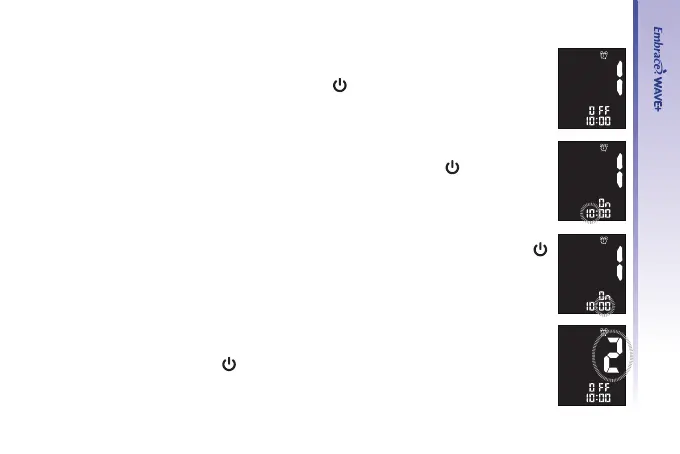
Step 4.
The display screen will indicate alarm 1 status (the default is OFF). You
can turn it on by pressing “▲” or “▼”. Press “
” to conrm your choice and
advance to set hour.
Step 5.
The hour will ash. Press “▲” or “▼” to select the hour. Press “
” to conrm
your choice and advance to set minutes.
Step 6.
The minutes will ash. Press “▲” or “▼” to select the correct minutes. Press “
” to conrm your choice and advance to set alarm 2.
Step 7.
Set alarm 2 and 3 by following steps 4 through 6. After you have nished
setting up alarm 3, press “
” to exit alarm setup.



 To Next Page