33
Blood Glucose Monitoring System
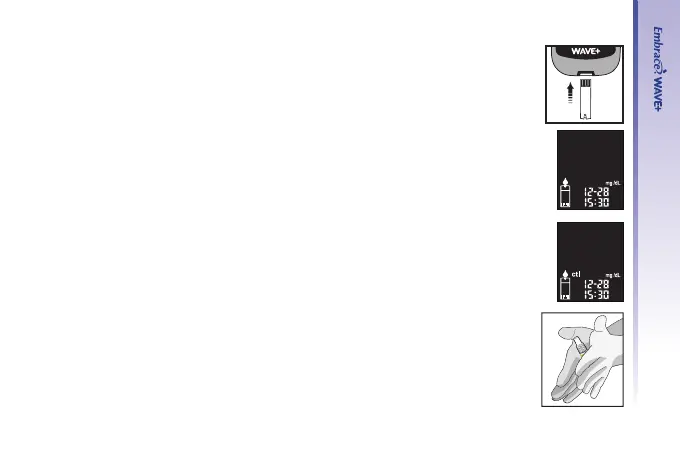
Step 1.
Insert a Embrace
®
WAVE Blood Glucose Test Strip into the meter with the
blood sample reaction zone facing up. Make sure the test strip contact points
are inserted all the way into the meter. The meter will turn on automatically.
Step 2.
The ashing blood drop and test strip icons appear on the lower left of the
meter display screen
Step 3.
Press “▲” or “▼” to enter the control mode. You will see “ctl ” on the lower left
of the screen.
Step 4.
1. Gently roll the control solution bottle back and forth between the palms
of your hands to mix the control solution.



 To Next Page