51
Blood Glucose Monitoring System
Step 2.
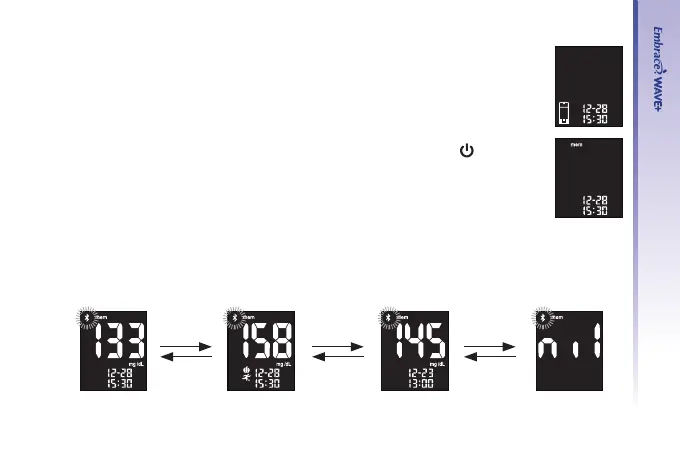
The ashing test strip icon will appear on the meter display screen.
Step 3.
Use “▲” or “▼” until meter display screen shows “ mem ” press “
” to
conrm your choice.
Step 4.
The most recent test result will appear on screen. Press “▲” to view your results from the
most recent to the oldest. When scrolling to the end of results in the memory, the meter
display screen will show “nil”.
UP
Down
UP
Down
UP
Down



 To Next Page