57
Explicit Messaging Quick Start
After the N10 file is set, B3:0/0 can be set high to send the explicit message to the scanner
card. After bit I:3/15 is set by the PLC, the message can be viewed by setting B3:0/2 high
which copies the M1: file to the N11: file.
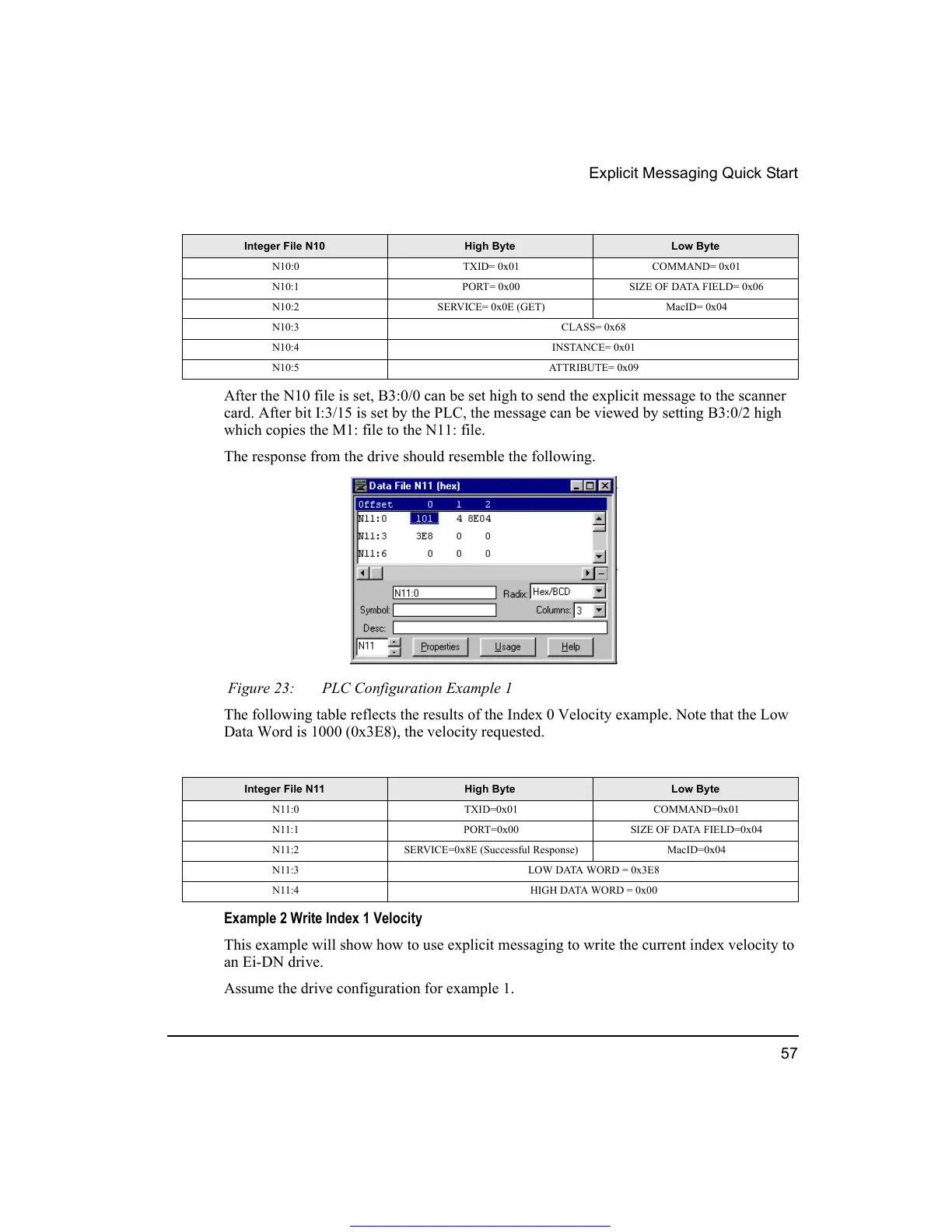
The response from the drive should resemble the following.
Figure 23: PLC Configuration Example 1
The following table reflects the results of the Index 0 Velocity example. Note that the Low
Data Word is 1000 (0x3E8), the velocity requested.
Example 2 Write Index 1 Velocity
This example will show how to use explicit messaging to write the current index velocity to
an Ei-DN drive.
Assume the drive configuration for example 1.
Integer File N10 High Byte Low Byte
N10:0 TXID= 0x01 COMMAND= 0x01
N10:1 PORT= 0x00 SIZE OF DATA FIELD= 0x06
N10:2 SERVICE= 0x0E (GET) MacID= 0x04
N10:3 CLASS= 0x68
N10:4 INSTANCE= 0x01
N10:5 ATTRIBUTE= 0x09
Integer File N11 High Byte Low Byte
N11:0 TXID=0x01 COMMAND=0x01
N11:1 PORT=0x00 SIZE OF DATA FIELD=0x04
N11:2 SERVICE=0x8E (Successful Response) MacID=0x04
N11:3 LOW DATA WORD = 0x3E8
N11:4 HIGH DATA WORD = 0x00
Get other manuals https://www.bkmanuals.com




 To Next Page