Installation, Operation and Maintenance Manual
VCIOM-01494-EN Rev. 0
June 2022
15
OM1 Module Setting and Conguration
Section 3: OM1 Module Setting and Conguration
Section 3: OM1 Module Setting
and Configuration
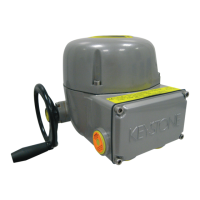
For the EPI2 basic actuator settings, please refer to the Installation, Operation and
Maintenance Manual.
The OM1 can be set once the basic EPI2 has been completely set.
The OM1 configuration can be carried out through the control panel on the optional
card itself. In order to get access to the panel, remove the actuator cover and when
the setting is complete replace the cover properly.
3.1 Local Setting of the OM1
3.1.1 OM1 Module Default General Setting
Please refer to the last column of Table 1.
3.1.2 OM1 Module Setting
If the application requires a different actuator setting than by default, please proceed as
described in this section.
The setting of the actuator parameters is made through the following tools:
— Three selector switches SW7, SW8, and SW9 for functionalities settings
— Input and output voltage/current selection (through switches SW1, SW3,
SW5, and SW6)
— Monitor relay contact type (through the welding pin J1)
— ENTER pushbutton SW2 (conrmation pushbutton)
— Dip switch SW4 (enable conguration mode)
— Red LED for EN TER action conrmation (switches on when setting
is conrmed)
1. Set the requested parameter and functionality accordingly to the following table.
2. Enter setup conguration: move SW4 switch to position ON (conguration mode).
3. Conrm each setting by pushing ENTER pushbutton SW2.
4. When pushing SW2, the red LED switches ON for conrmation.
5. Exit conguration mode (move SW4 switch to position 1).
6. Repeat this setting for each parameter.
!
WARNING
Do not electrically operate the EPI2 when the electrical enclosures are removed. Operating
the unit with the electrical enclosures removed could cause personal injury.


 To Next Page
 Loading...