CAUTION!
Handle the meter with care. Follow all corporate, local, and national safety regulations
for lifting and moving the meter.
2. Visually inspect the meter for any physical damage.
If you notice any physical damage to the meter, immediately contact Micro Motion
Customer Support at flow.support@emerson.com.
3. Position and secure the meter in a vertical position with the flow arrow pointing
upward.
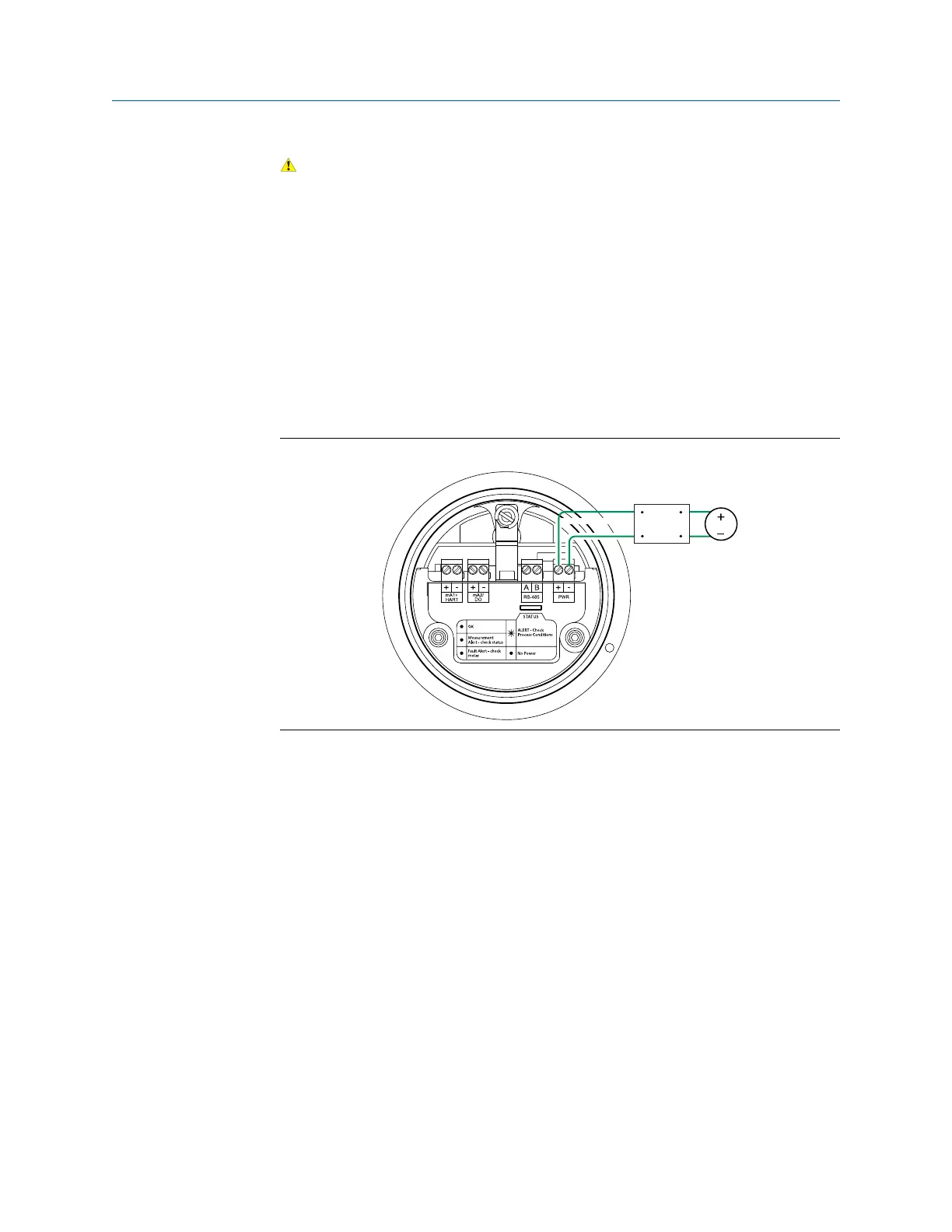
4. Connect the power wiring, and power up the meter.
Remove the back transmitter housing cover to access the PWR terminals.
Power supply wiring terminalsFigure 1-10:
5. Perform a Known Density Verification (KDV) check.
Use the Known Density Verification procedure to match the current meter
calibration with the factory calibration. If the meter passes the test, then it has not
drifted or changed during shipment.
For more information on performing a KDV check, see the configuration and use
manual that shipped with the product.
Planning
Installation Manual 15















 To Next Page