After completing the test, the display returns to the loop test
screen and allows the user to choose another output value.
4. To end the loop test, select End and Enter.
3.5.2 Perform a loop test using Device Manager
Procedure
1. Right click on the device and select Service Tools.
2. In the left navigation pane, select Simulate.
3. On the Simulate tab in the Analog Output Verification group
box, select the Perform Loop Test button.
4. Follow the guided instructions and select Apply when
complete.
3.5.3 Perform a loop test using the LOI
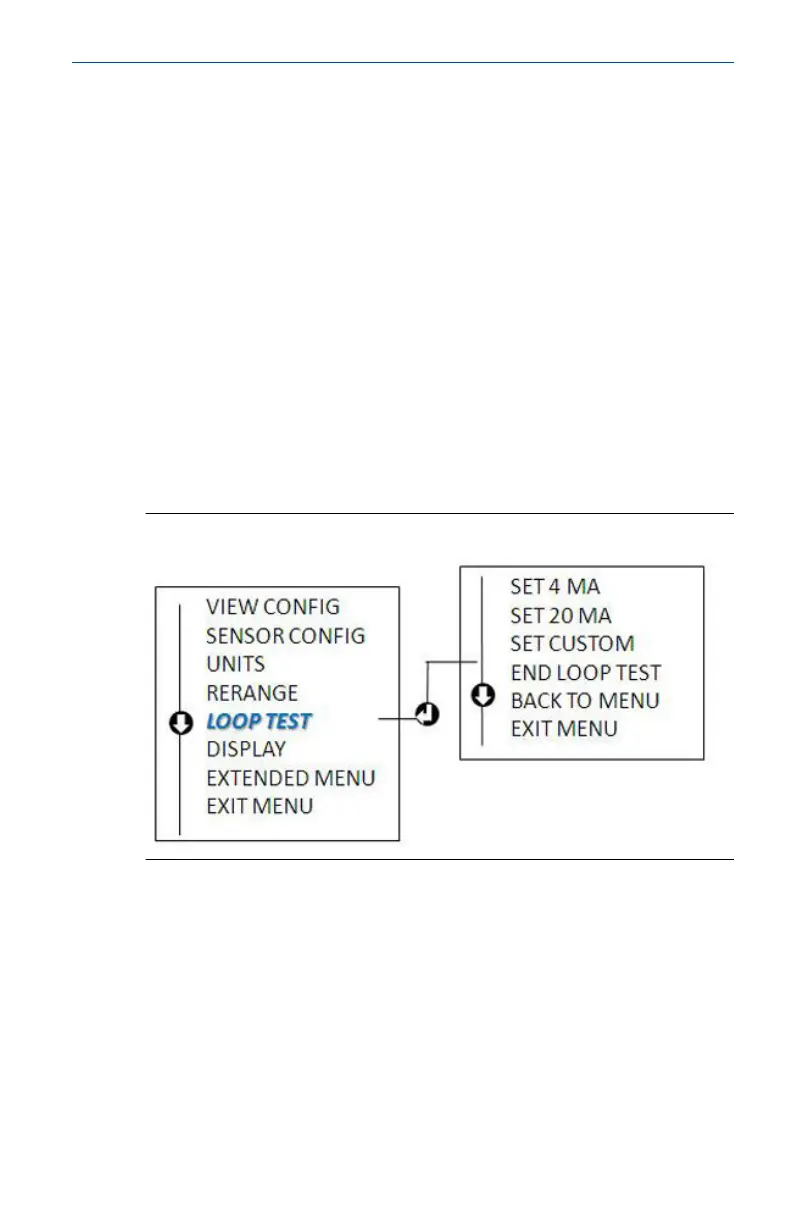
Reference the figure below to find the path to the Loop Test in the
LOI menu.
Figure 3-7: Configuring the Tag with LOI
April2023 Quick Start Guide
Quick Start Guide 23









 To Next Page