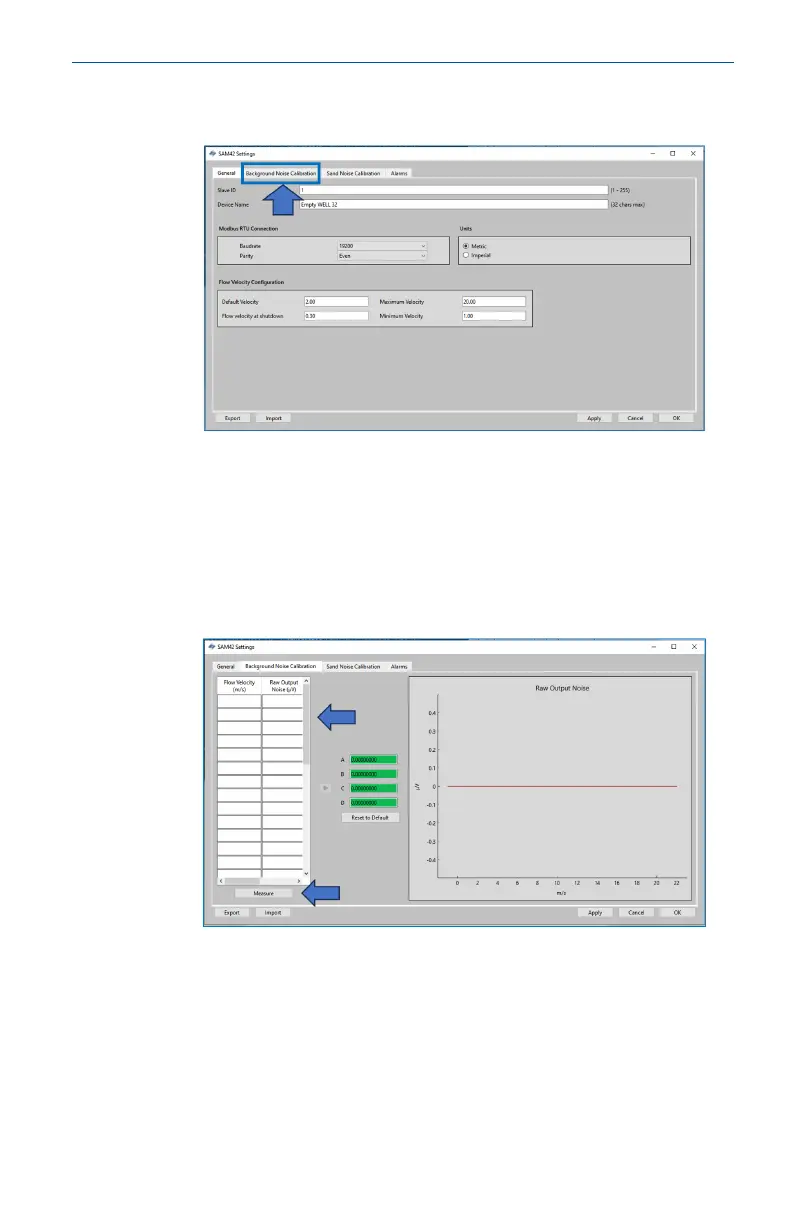
3. In the Settings window, click the Background Noise
Calibration tab to bring up the Calibration window.
4. The Background Noise Calibration window will open. Fill out
the table on the left-hand side of the window. This can be
completed in two different ways:
a. [Preferred] Using the measure function on this tab by
pressing the Measure button below the table on the
left-hand side of the window.
b. [Optional] Using manual data entry.
May2024 Quick Start Guide
Quick Start Guide 37













 To Next Page