4.3.1 Calibration using measure function
Procedure
1. Press the Measure button.
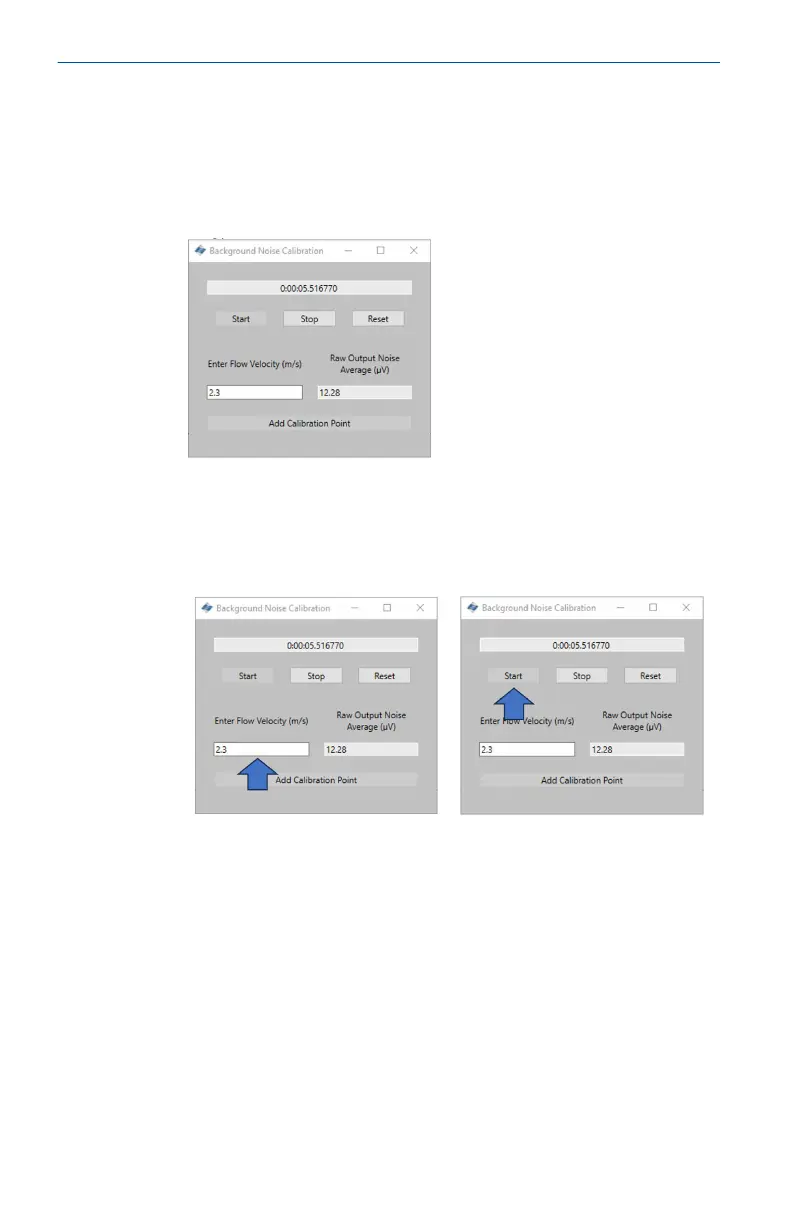
The Background Noise Calibration window will open.
2. Enter the velocity for the first measurement. This value is in
meters per second (m/s).
Once the flow velocity for the test has been entered, press the
Start button to commence the recording for the calibration.
Quick Start Guide May2024
38 Emerson.com/Rosemount













 To Next Page