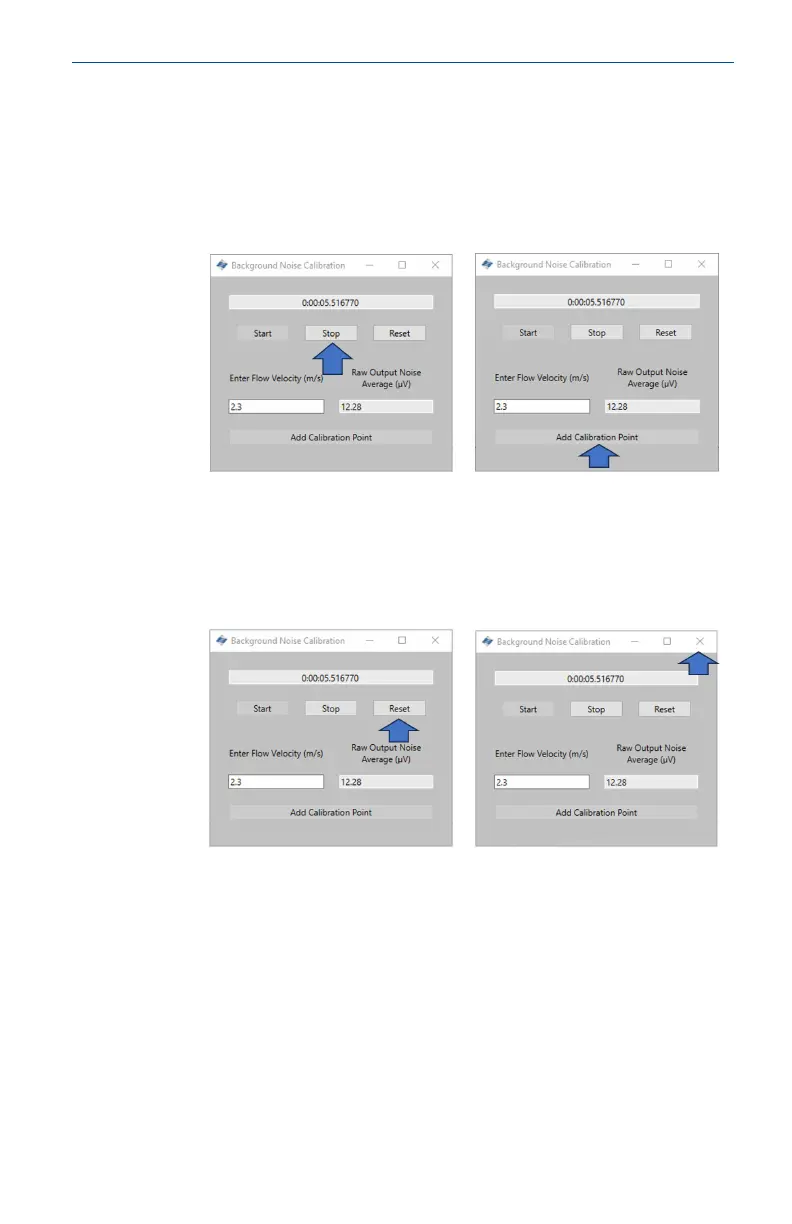
3. Record for 1 – 2 minutes to ensure that a representative
average can be taken. Once the timer has reached this value,
press Stop which will halt the data collection, leaving an
average noise output for the recording.
To register this value in the calibration table, press Add
Calibration Point.
4. Press Reset. Then, repeat this process for the remaining points
so that data for at least three velocities is collected.
Once all the data has been collected, return to the Calibration
window by closing the Background Noise Calibration window.
May2024 Quick Start Guide
Quick Start Guide 39













 To Next Page