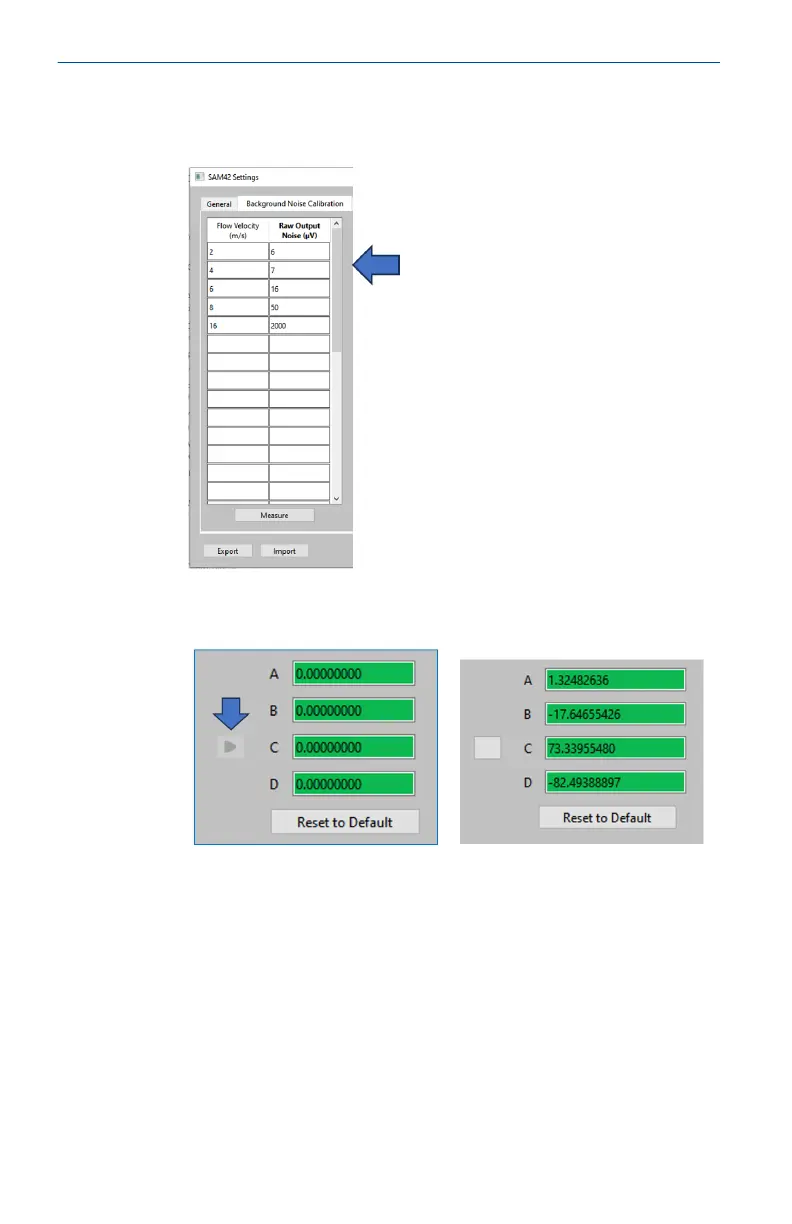
5. The table on the left-hand side of the Background Noise
Calibration tab will now be filled with the selected velocities
and the average noise outputs.
6. Once the values have been generated, press the grey arrow
(➤) to generate the calibration coefficients for the device.
Quick Start Guide May2024
40 Emerson.com/Rosemount













 To Next Page