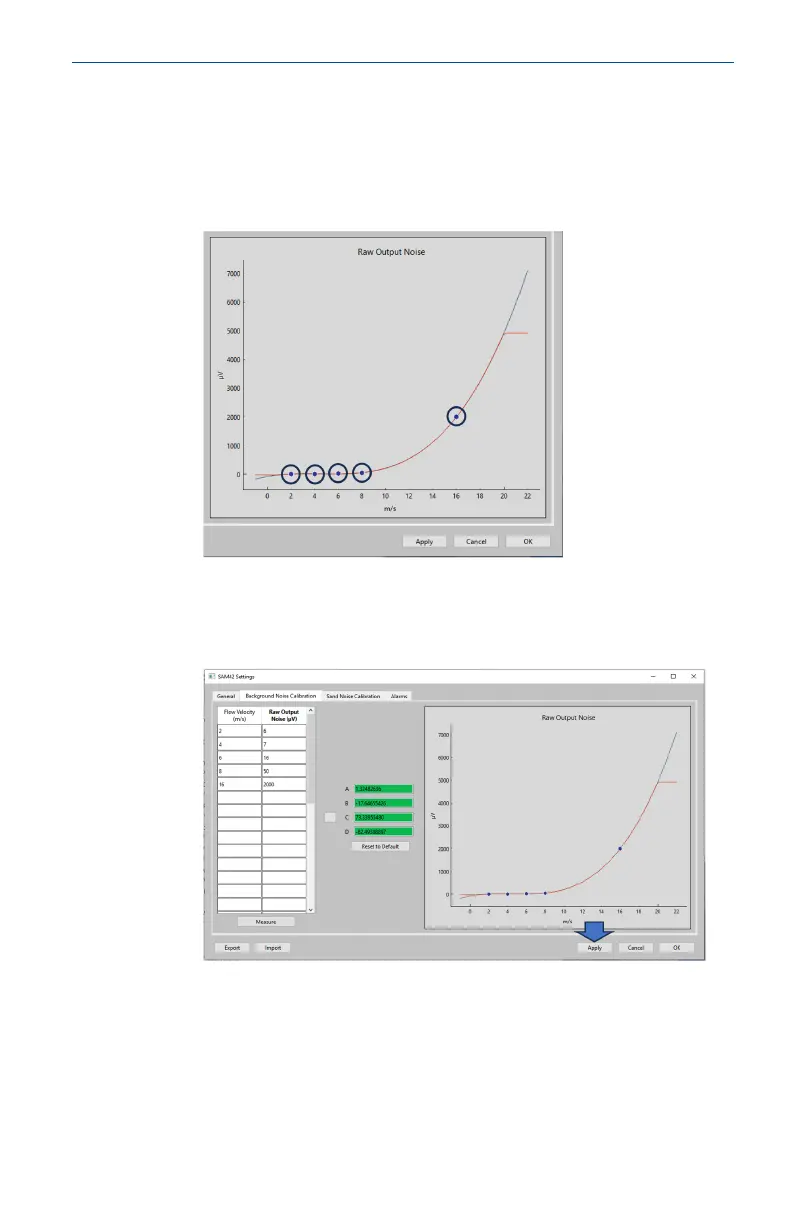
7. This will also generate a polynomial curve which can be seen
on the graphing interface displayed on the right-hand side
of the calibration window. Check the measurement points sit
on the curve or are very close to the created curve. If there
are any outliers, then the measurement will either need to be
discarded or re-measured.
8. Once the curve is satisfactory, press Apply. The calibration
coefficients will be written and stored on the device, to be
used when in operation to remove the background noise from
the impact noise.
May2024 Quick Start Guide
Quick Start Guide 41













 To Next Page